
Inventory Manager
Trading card inventory that knows where every card is
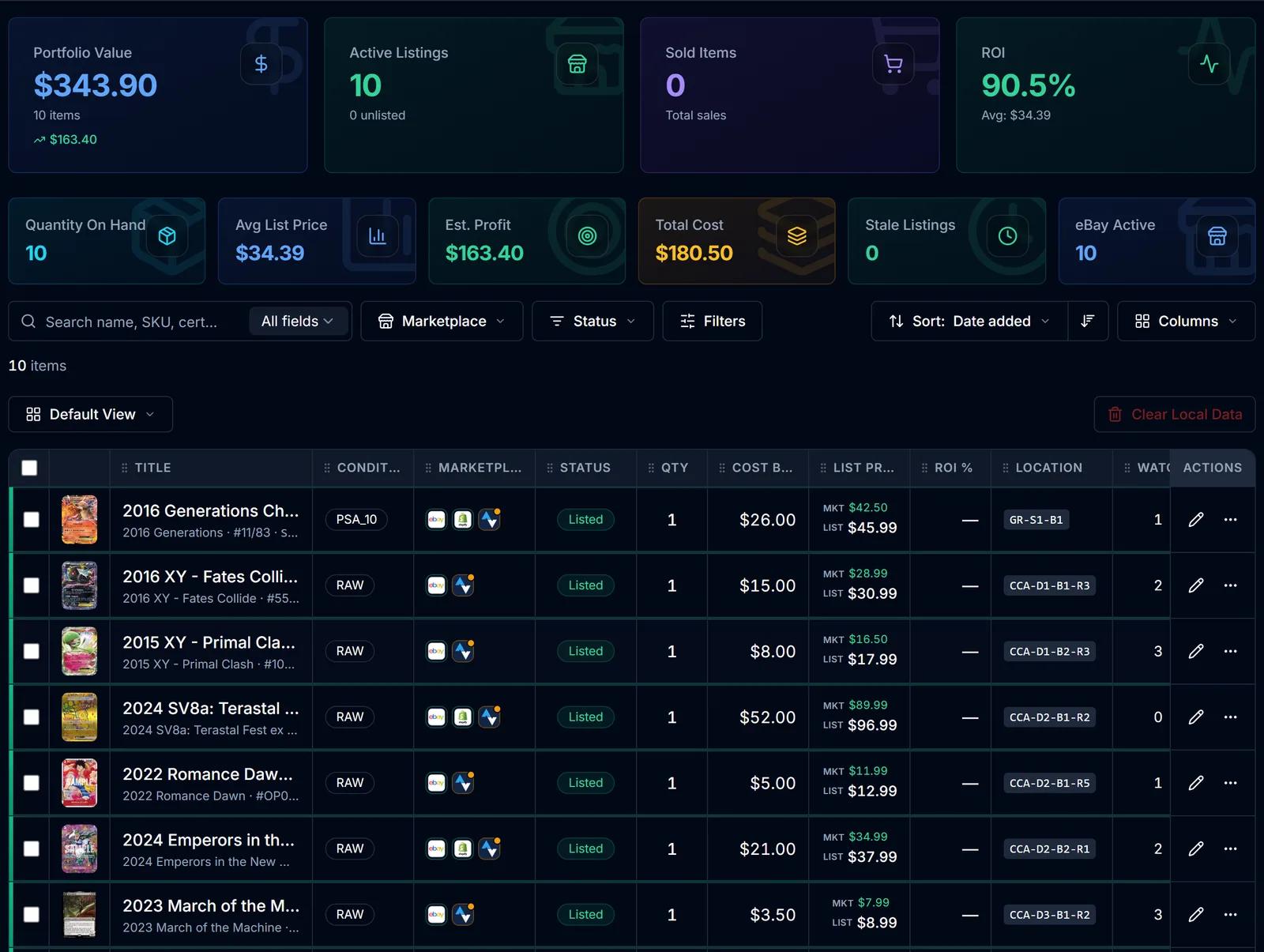
One record per card: what you paid, what it's worth, where it's listed and where it's stored. Search it, filter it, save the views you use every day, and export it when you need it somewhere else.
No credit card required · 500 scans / month on the free plan
Why it matters
Spreadsheets fall behind the moment a card sells
Once cards are listed on more than one marketplace, a spreadsheet is out of date as soon as something sells. Costs live in one file, listings in another, and the card itself in a box nobody labelled.
SlabIQ keeps one inventory record per card and hangs everything off it: cost basis, market price, list price, which marketplaces it's on and which box it's in.
How it works
How Inventory Manager works
- Step 1
Cards come in
From a processed batch, from a single card you add, or imported from a connected eBay, Shopify or CardTrader account.
- Step 2
Every card gets one record
Cost basis, quantity, condition, grade and cert number, listing status and storage location sit on the same record.
- Step 3
Find what you need
Search all fields or SKU only, filter by marketplace and status, or build a filter from any combination of fields.
- Step 4
Save your views
Keep the filters and columns you use every day as saved views, with one set as your default.
- Step 5
Change many cards at once
Bulk edit condition, grading, cost basis, quantity and more, with a preview of every change before it's applied.
- Step 6
Export when you need to
Export selected, filtered or all items to CSV in SlabIQ, TCGplayer, eBay File Exchange, Whatnot, Shopify or Square formats.
Capabilities
What you can do with Inventory Manager
Cost basis, ROI and profit
Cost basis, market and list price, ROI and profit or loss for every card, side by side.
Marketplace presence filter
Find cards listed on a marketplace, missing from one, or not listed anywhere, for each connected account.
Advanced filter builder
Around 35 fields in 7 groups, combined with AND or OR and kept in the URL, so a filtered view can be bookmarked.
Saved views
Save, rename, update and delete views, and choose the one the table opens with.
A table you can shape
Show, hide, resize and reorder columns, including SKU, location, days active, watchers and views.
Bulk edit with preview
Change category, condition, grader, grade, cert number, notes, cost basis (set, add, subtract or adjust by percent), quantity and acquisition details across many cards.
CSV export for other channels
Formats for TCGplayer, eBay File Exchange, Whatnot, Shopify and Square, plus a generic SlabIQ export.
Item editor
Card details, item specifics, images, pricing, listing, marketplaces and history for each card, with single-item publishing to eBay, Shopify or CardTrader.
Storage locations
Assign a location from the table; Storage Hub tracks cards down to the box and row.
Numbers at a glance
Portfolio value, active listings, sold items, ROI, quantity on hand, average list price, estimated profit, total cost and stale listings.
One card, every channel
One inventory record, listed on eBay, Shopify and CardTrader at once. When it sells on one, SlabIQ updates the others, and the card's cost, market value and profit sit right beside it.
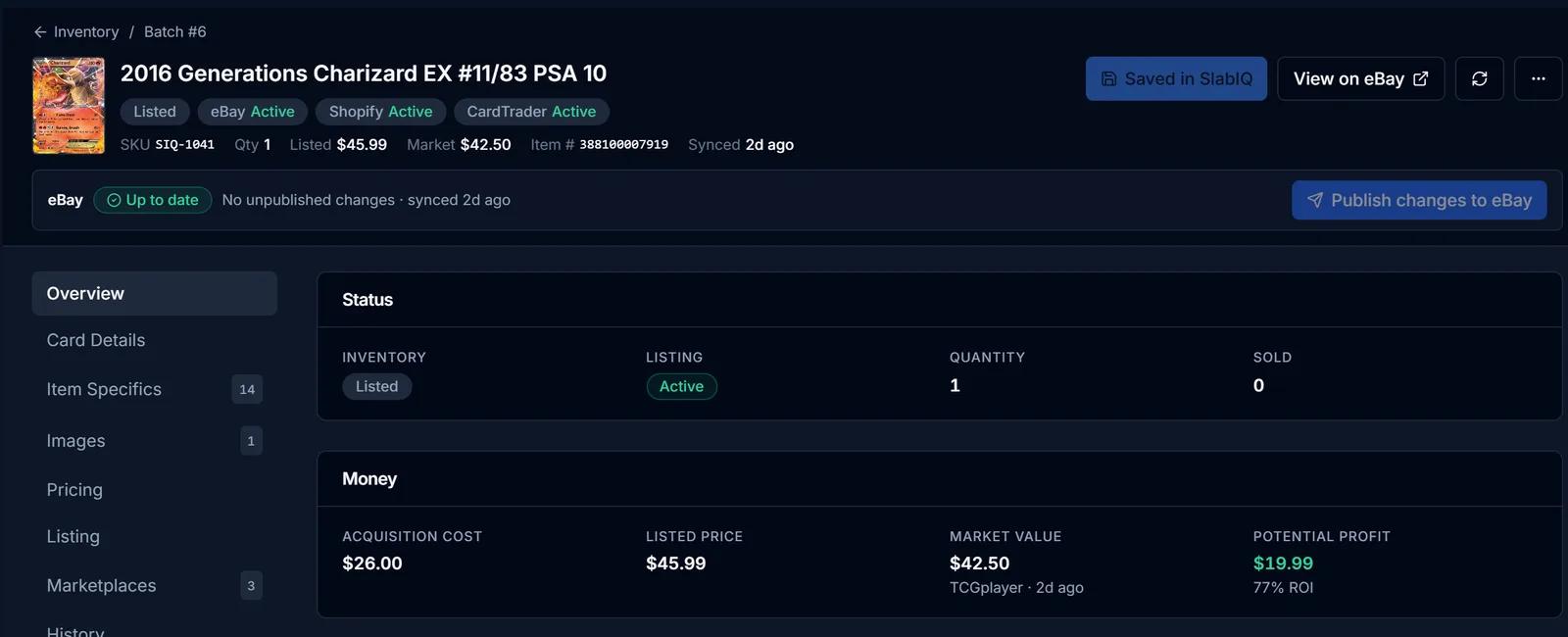
Screens from SlabIQ with a sample account: real catalog cards; prices, costs and sales are examples.
Good to know
What to expect
- Bulk edits change SlabIQ's records; they don't push the changes to your marketplace listings.
- Listing many cards to eBay at once happens from a batch; the inventory table lists one card at a time.
- Inventory imports read from connected marketplaces; there's no CSV import into inventory.
- Market prices in the table are what SlabIQ has on file for each card, and each shows when it was last synced.
Use cases
Who uses Inventory Manager
Multichannel sellers
See which cards are on eBay, Shopify and CardTrader, and which aren't listed anywhere yet.
Dealers
Keep cost basis and ROI next to every card so pricing decisions start from what you paid.
eBay sellers moving off spreadsheets
Import existing eBay listings into one inventory, then manage new cards there from the first scan.
Questions
Inventory Manager: common questions
Can I import my existing eBay listings?
Does it track cost basis and profit?
Can I export my inventory?
Does it track where cards are physically stored?
Can I edit many cards at once?
Keep exploring
Related features and tools
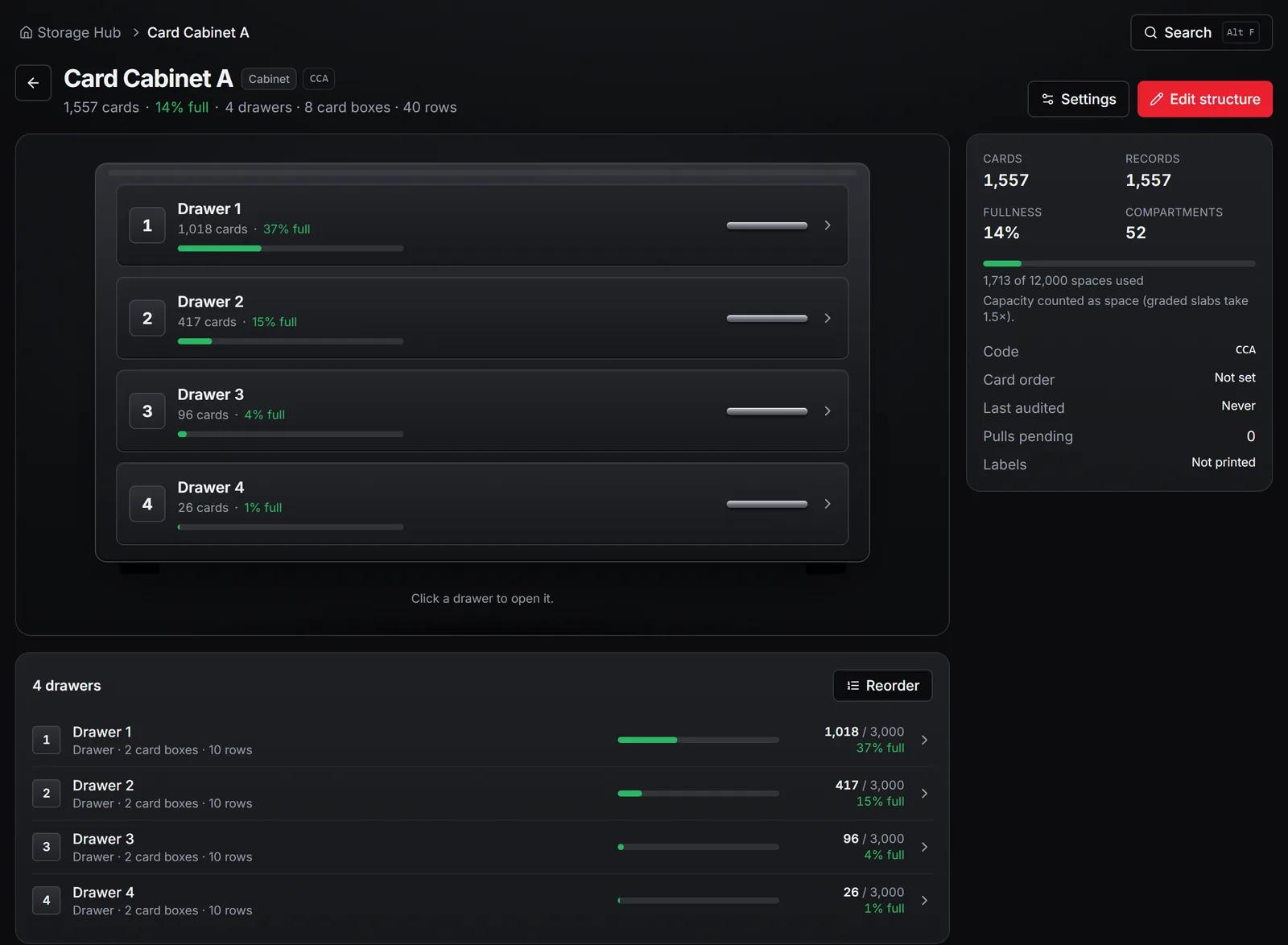
Storage & Pick Lists
Map your storage, print QR labels, put cards away and pull sold eBay orders from pick lists.
Learn more about Storage & Pick Lists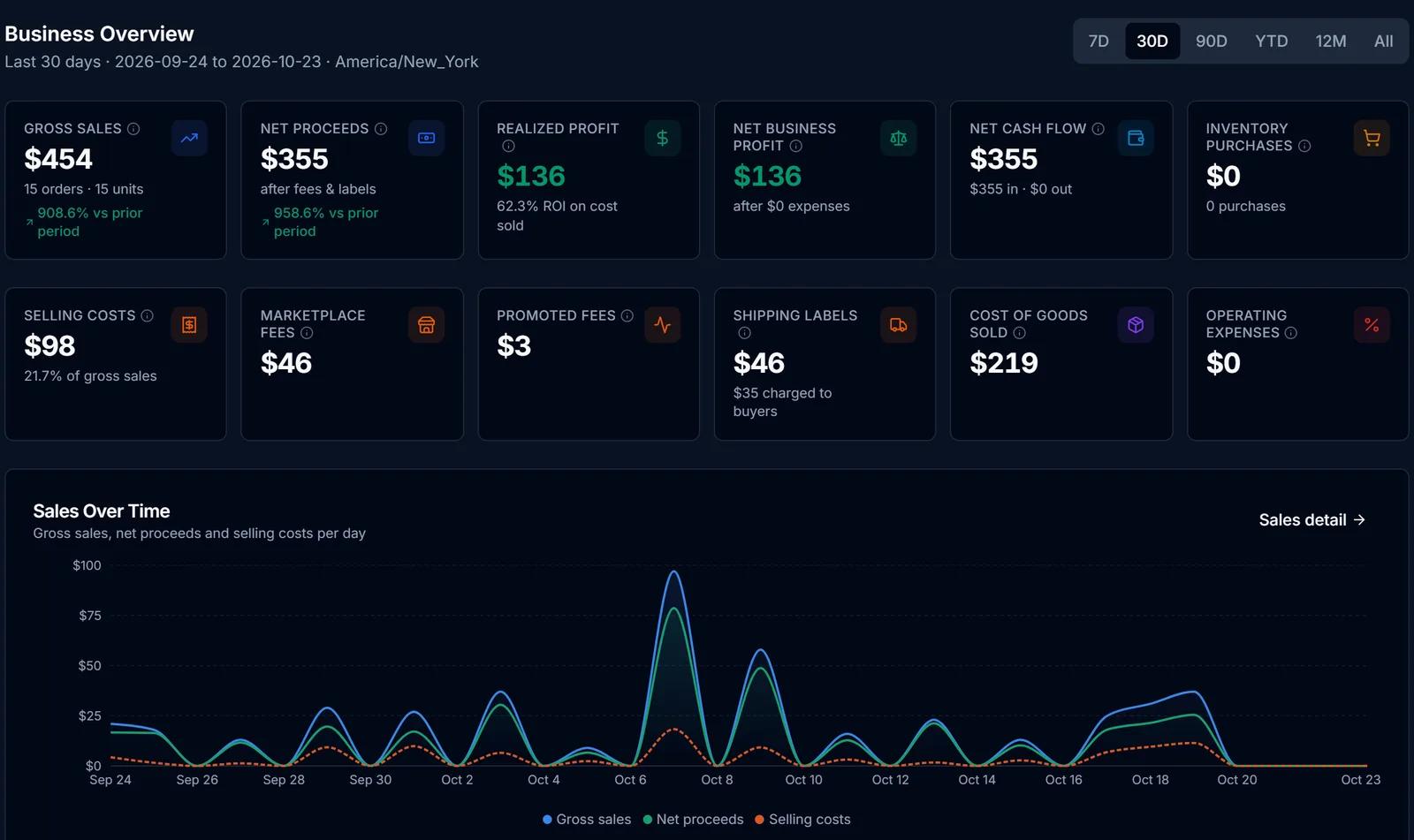
Finance Hub
Purchases, sales, fees, expenses and cost basis in one place, with realized profit kept apart from projections.
Learn more about Finance HubMarketplace Integrations
Connect eBay, Shopify and CardTrader to one inventory, list from the same records and record each sale once.
Learn more about Marketplace Integrations
Try Inventory Manager on your own cards
Create a free SlabIQ account and see it work with your own inventory. No credit card required.
500 scans / month on the free plan