
AI-powered trading card software
From card scanning to sales. One platform.
Identify trading cards, organize inventory, understand market prices, manage marketplace listings and track profitability with SlabIQ.
No credit card required · 500 scans / month on the free plan · Join the Discord
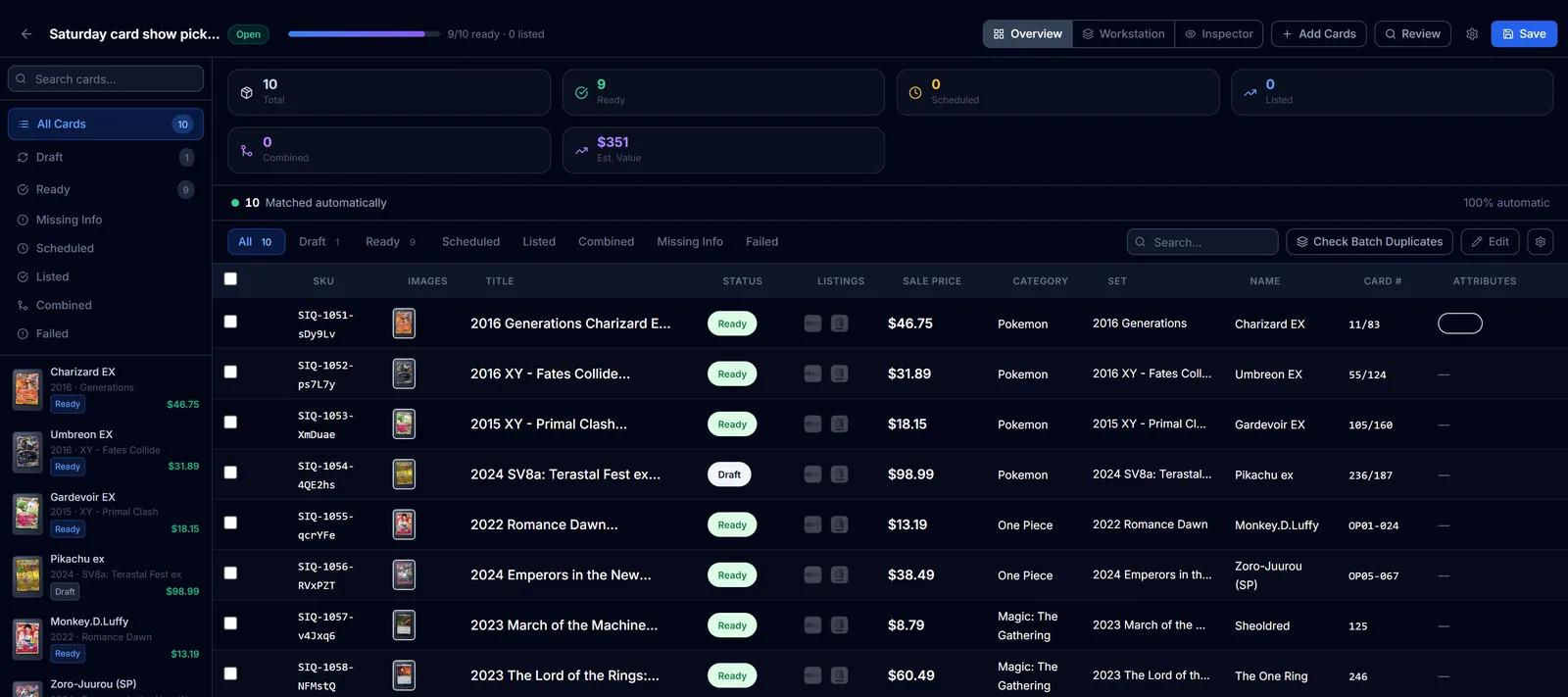
A batch in SlabIQ (sample account, real catalog cards): ten cards across Pokémon, One Piece, Magic and baseball, nine matched and ready to list, and the one uncertain match left for review.
Built for
- Sports cards
- Pokémon
- Magic: The Gathering
- Yu-Gi-Oh!
- One Piece
- Disney Lorcana
- Flesh and Blood
- Graded slabs
Sell on
 eBay
 Shopify
 CardTrader
Live Platform Activity
Powering smarter card inventory
Platform-wide totals across all SlabIQ users
Platform
Every tool a card seller needs, connected
Each part of SlabIQ works from the same card records, so a card you scan is the card you price, list, store and sell.
Batch Scanner
Upload a stack of scans or phone photos and identify every card in one batch, with uncertain matches set aside for review.
Learn more about Batch Scanner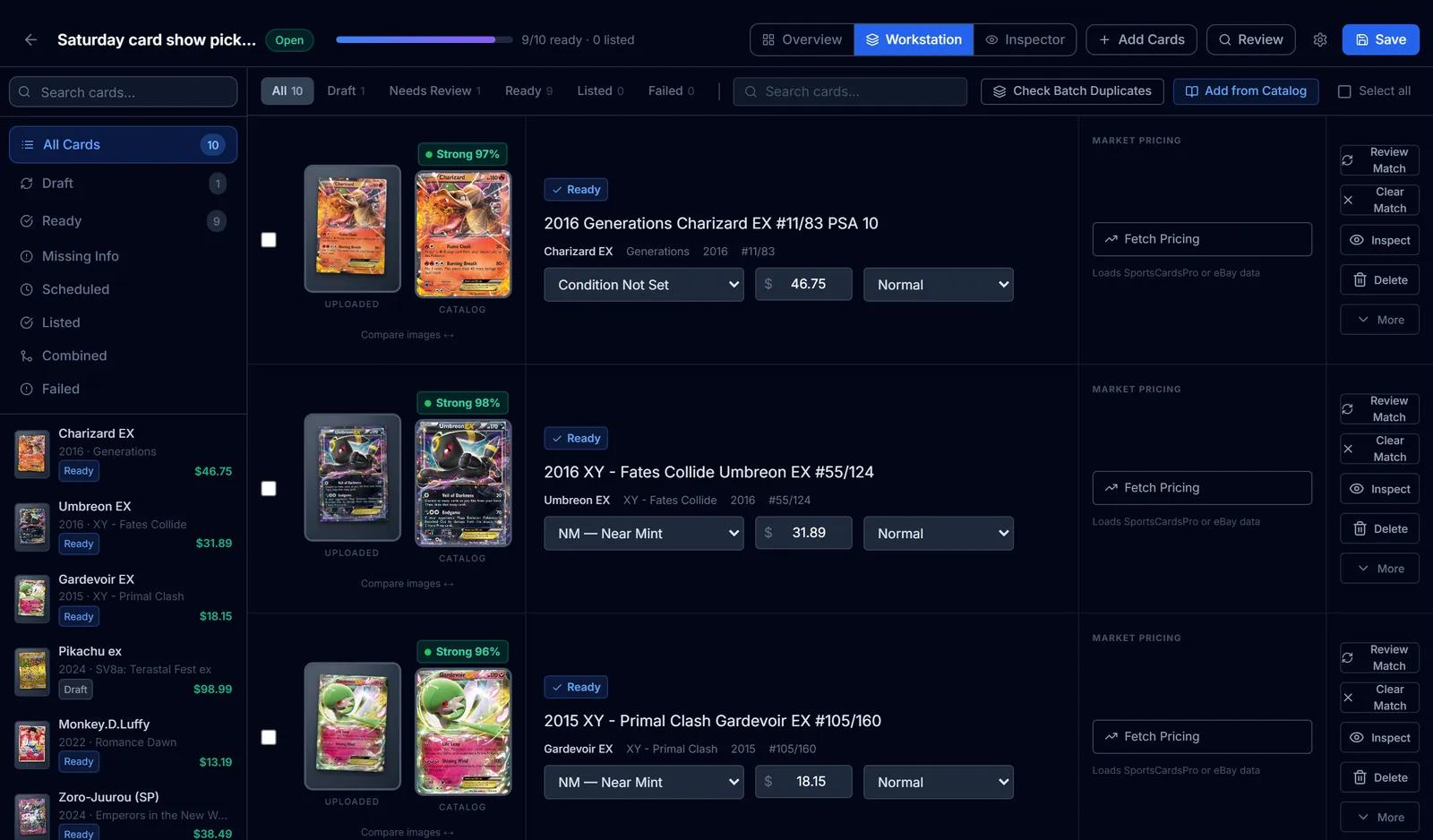
AI Card Scanner
Identify sports cards and TCG cards from photos, linked to a specific catalog card, with uncertain matches flagged instead of guessed.
Learn more about AI Card Scanner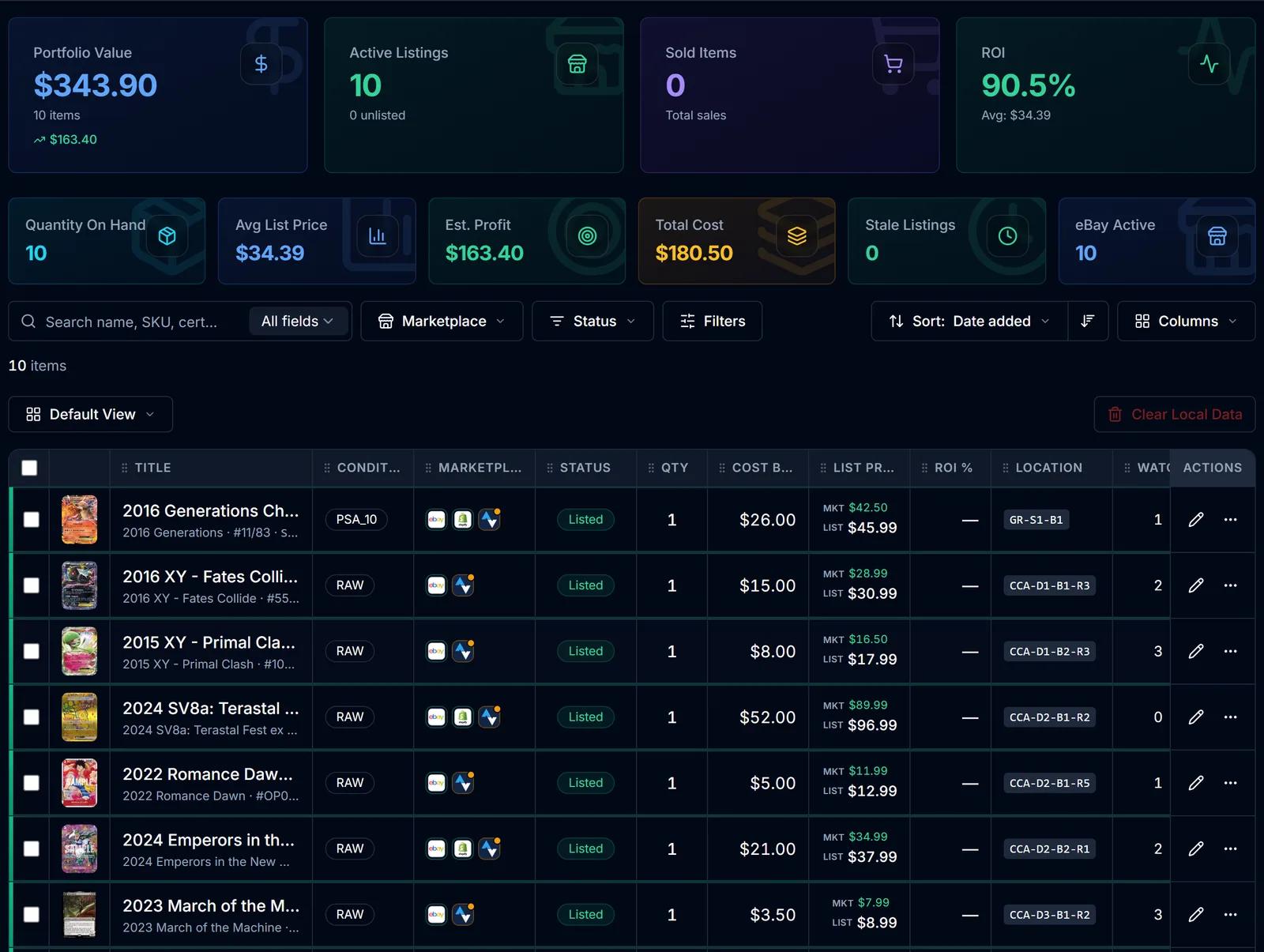
Inventory Manager
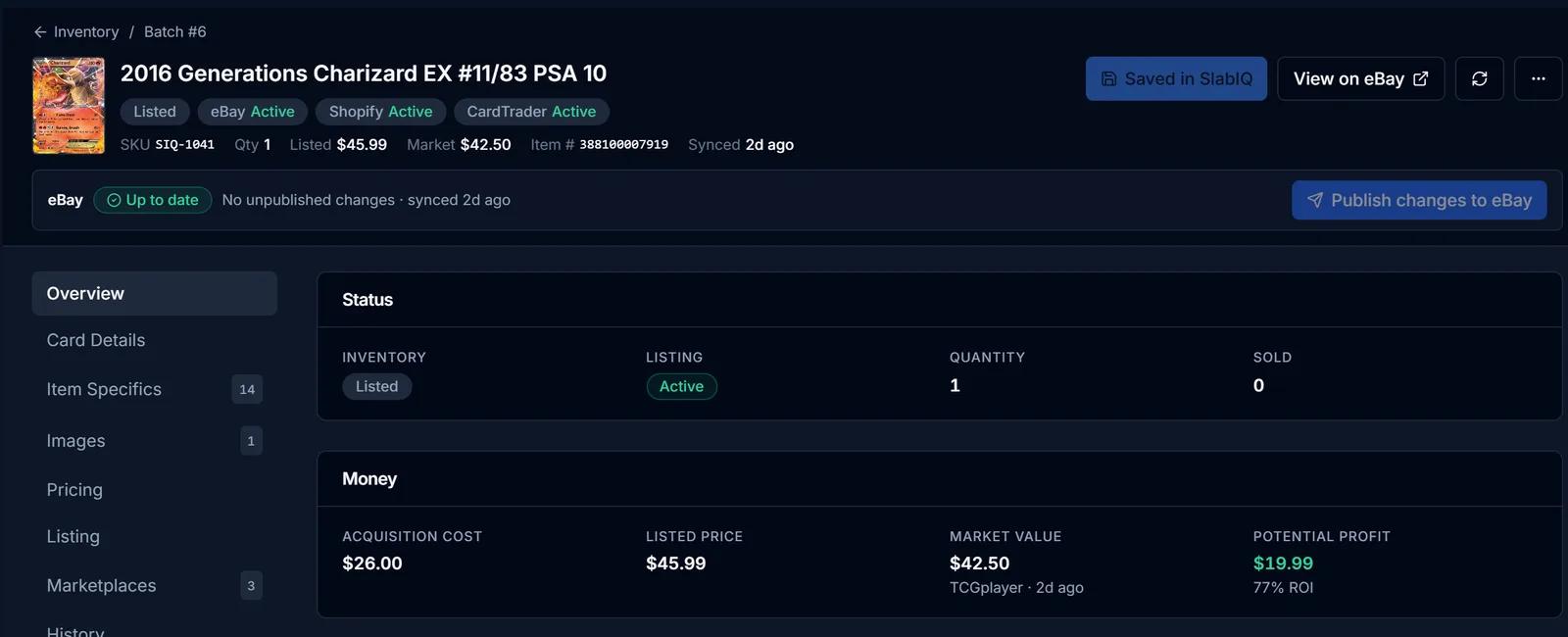
One record per card with cost basis, market and list price, ROI, marketplace status and storage location.
Learn more about Inventory Manager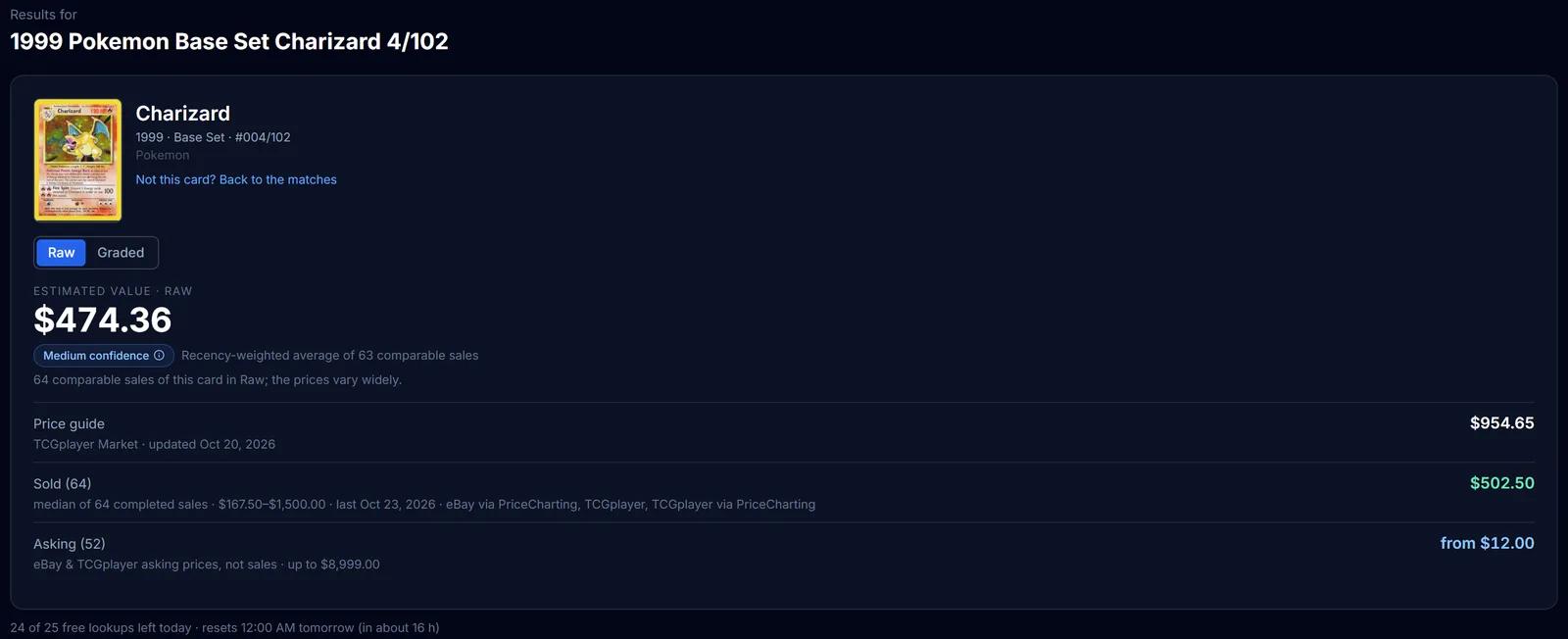
Market Pricing
TCGplayer market prices, completed sales and live asking prices for a card, each labelled, with an estimated value.
Learn more about Market Pricing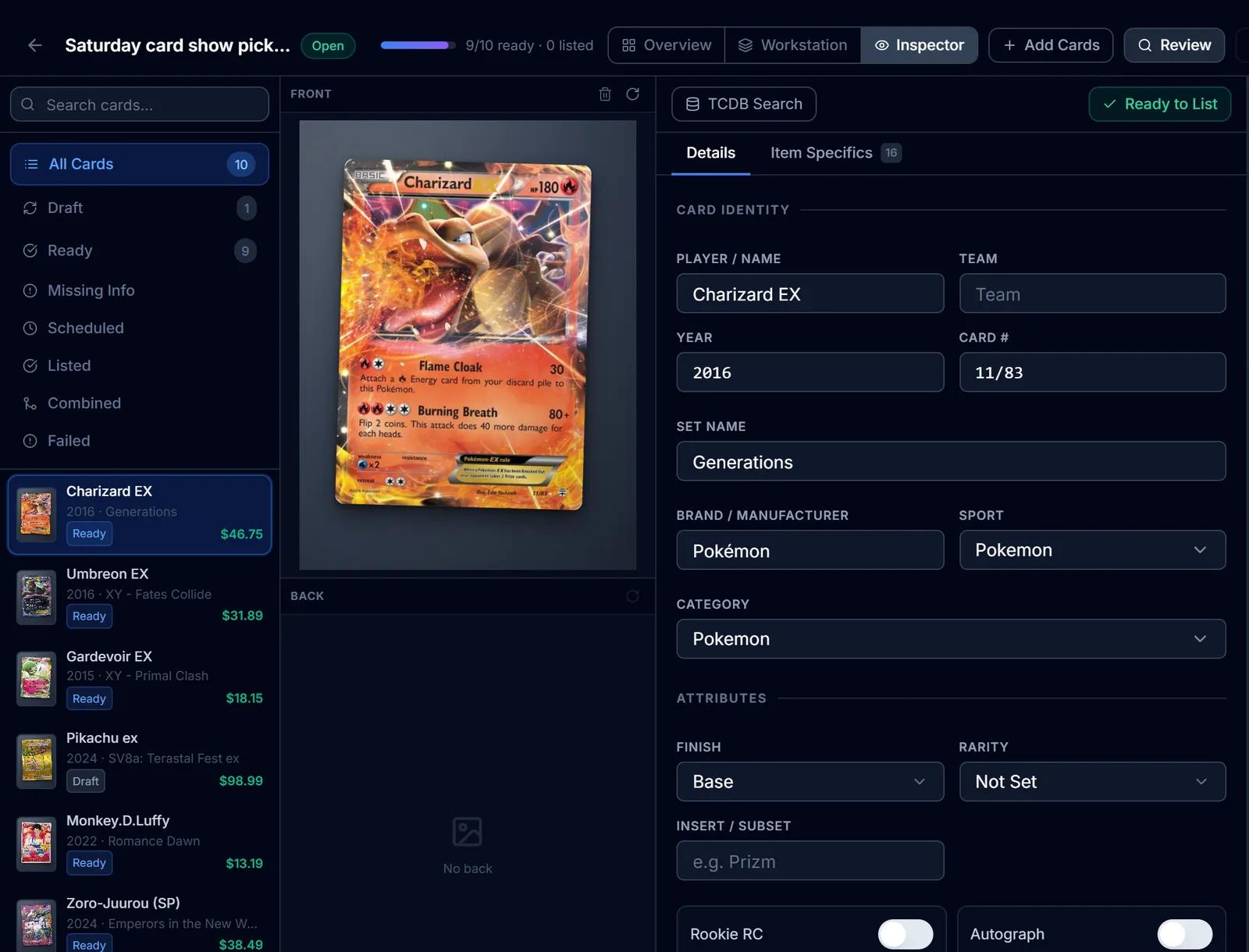
eBay Listing
eBay listings built from the identified card: titles, item specifics, graded fields, Best Offer and scheduled starts.
Learn more about eBay Listing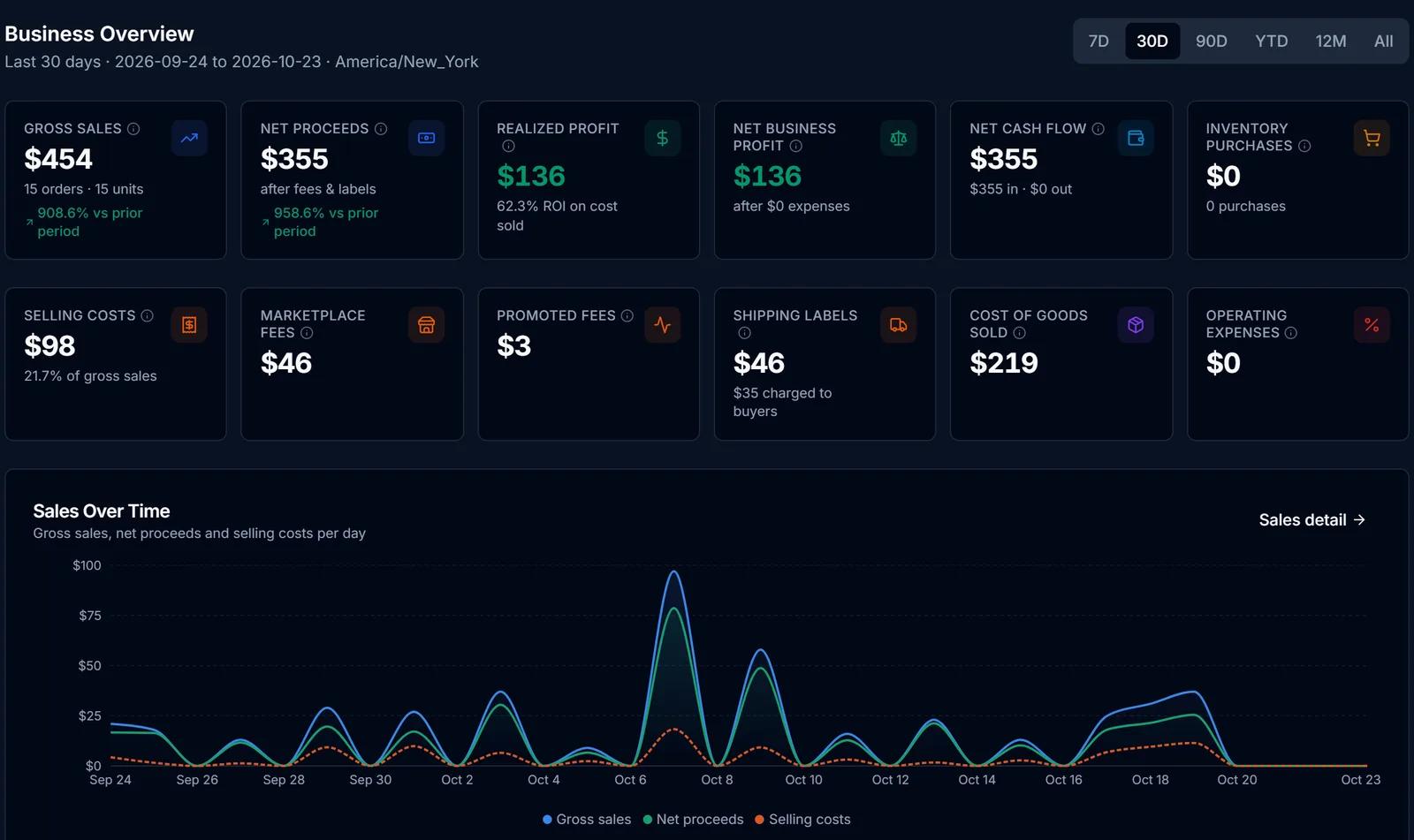
Finance Hub
Purchases, sales, fees, expenses and cost basis in one place, with realized profit kept apart from projections.
Learn more about Finance Hub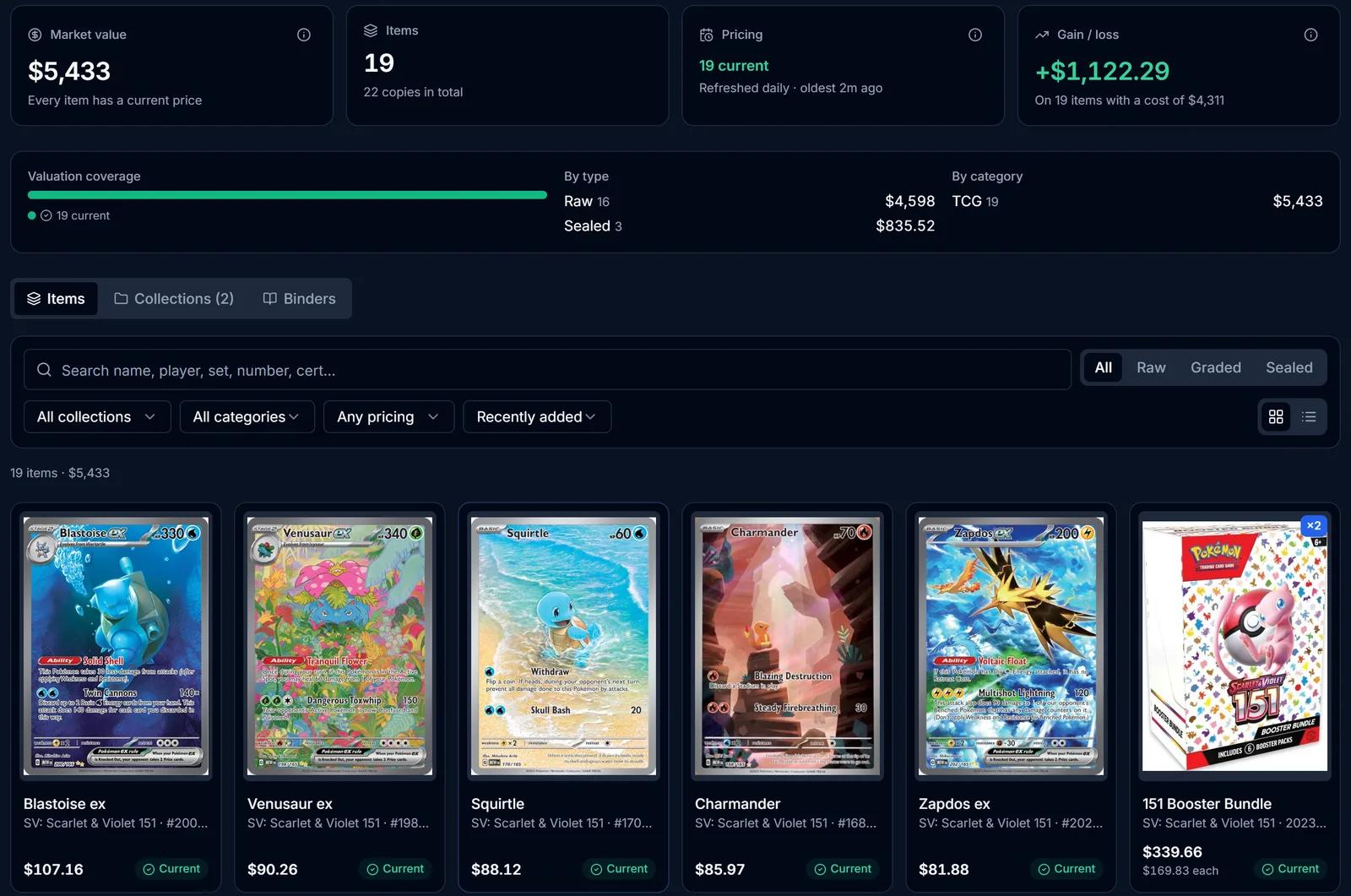
Collection Tracker
A catalog-linked collection valued daily from TCGplayer data, with gain and loss and TCG set binders.
Learn more about Collection Tracker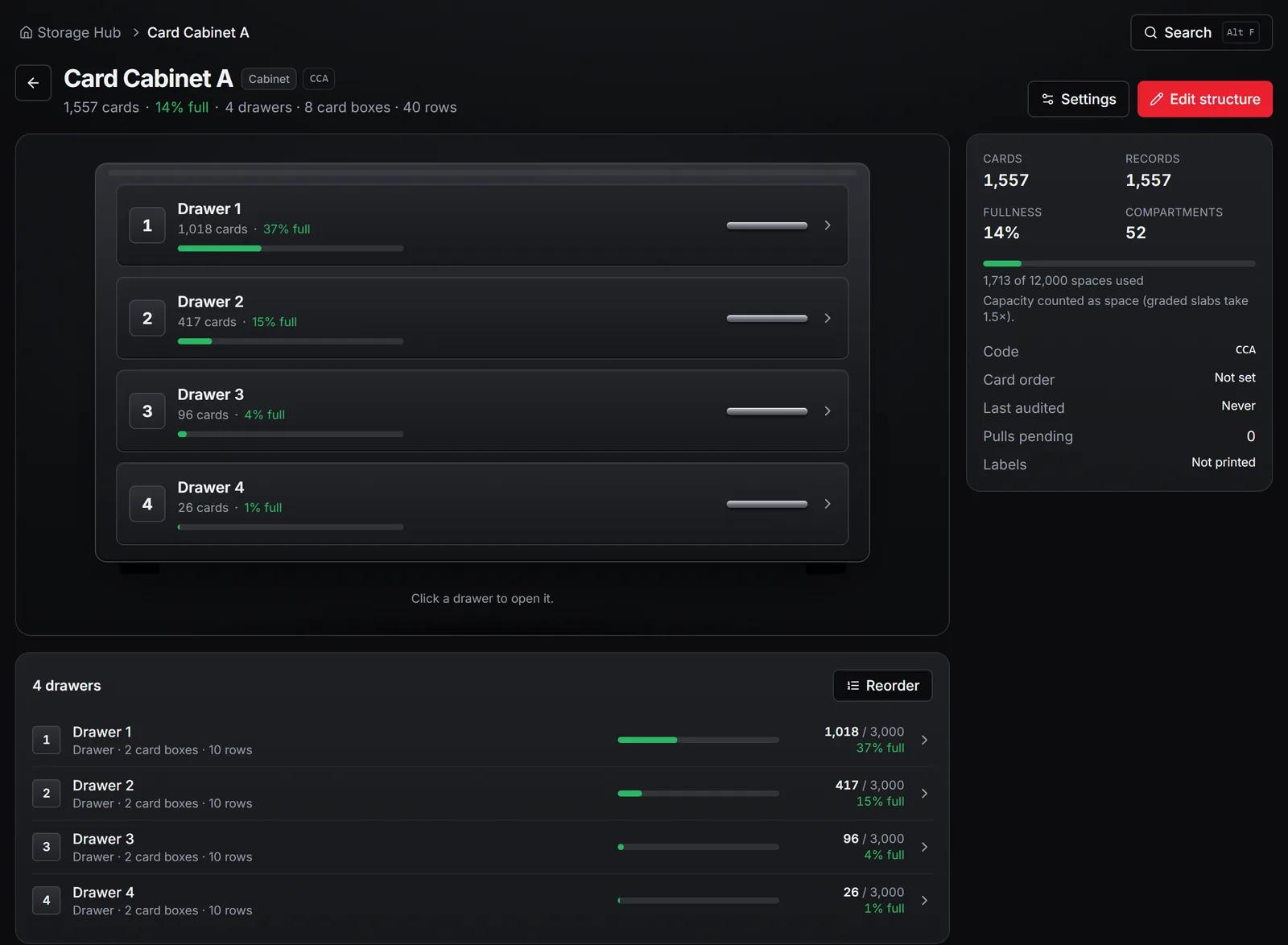
Storage & Pick Lists
Map your storage, print QR labels, put cards away and pull sold eBay orders from pick lists.
Learn more about Storage & Pick Lists
How it works
From a stack of cards to a tracked sale
The same six steps for every card. SlabIQ does the repetitive parts; you confirm matches, prices and listings before anything goes live.
 Step 1
Scan or import cards
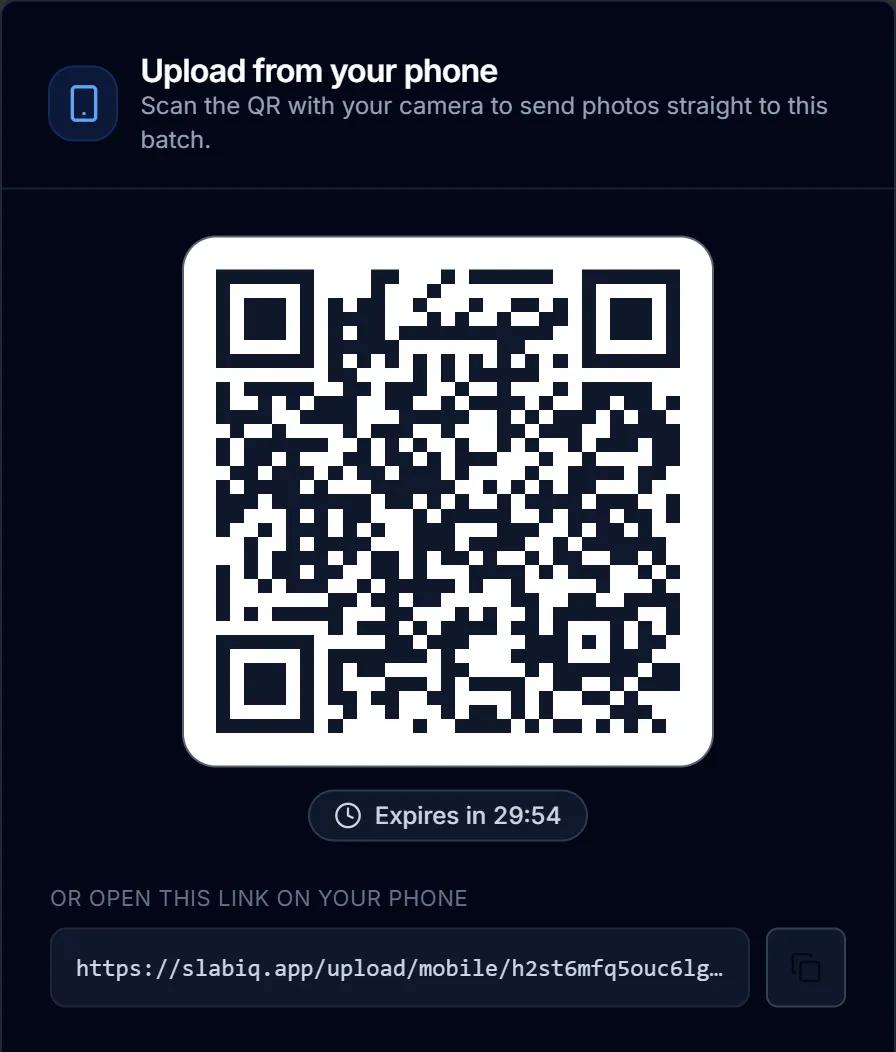
Upload scans or phone photos into a batch, or import the listings you already have on eBay.
Learn more about scan or import cards- Step 2
Review and confirm
SlabIQ matches each card to its catalog. Strong matches are linked; anything uncertain waits for you to confirm.
Learn more about review and confirm - Step 3
Organize inventory and storage
Every card gets one inventory record with its cost and a storage location you can label and find.
Learn more about organize inventory and storage - Step 4
Check market pricing
See the price guide, completed sales and asking prices beside each card, and set your price from the evidence.
Learn more about check market pricing - Step 5
Create and manage listings
Titles and item specifics come from the card. You review them, then list now or on a schedule.
Learn more about create and manage listings - Step 6
Track sales and profit
Orders come back in with their fees and labels, and Finance Hub shows what each sale actually made.
Learn more about track sales and profit
Market pricing
Know what a card is worth, and why
SlabIQ shows a card's price guide, completed sales and current asking prices side by side, each naming its source, and builds an estimate with a confidence level from them.
- TCGplayer market prices for TCG cards, updated daily
- Completed sales and live asking prices, never mixed together
- An estimate with a confidence level, or none at all, never a made-up $0
- Free lookups on any card, no account needed
Every price names its source
Full Price ToolRun the business
Inventory, storage and profit in one place
Once cards are in, the same records carry them through stock, storage and sales, so the numbers agree with what's on the shelf.
Inventory with the full picture
Cost basis, market and list price, ROI, the marketplaces a card is on and the box it's in, with filters and saved views.
Inventory ManagerStorage you can find things in
Map cabinets, boxes and rows, print QR labels, and turn eBay orders into pick tasks with locations.
Storage & Pick ListsProfit after every fee
Marketplace and promoted fees, shipping labels and cost of goods netted out of every sale, with realized profit kept apart from estimates.
Finance HubMarketplaces
List on eBay, Shopify and CardTrader from one inventory
Each marketplace works a little differently, so here's what SlabIQ does with each one.
eBay
- List whole batches, now or on a schedule
- Item specifics and graded condition fields filled from the card
- Best Offer rules; revise or end listings from inventory
- Import existing listings; orders sync in with fees
Shopify
- List from batches or single items
- Import existing products
- Products taken off sale when they sell out
CardTrader
- List catalog-matched TCG cards
- Price preview before publishing, including TCGplayer market pricing
Who it's for
Built for the way you sell cards
Sports card sellers
Parallels, inserts and serial numbers read from the card and checked against the catalog.
AI Card ScannerTCG sellers
Pokémon, Magic, Yu-Gi-Oh!, One Piece and more, priced from TCGplayer market data.
Market PricingeBay sellers
Bulk listings with item specifics, graded fields, Best Offer and scheduled starts.
eBay ListingDealers and resellers
Cost basis, lot cost allocation and profit after fees for every card you buy and sell.
Finance HubBreakers and high-volume sellers
Scan breaks as batches and turn the base cards into eBay lots with collages.
Lot BuilderCollectors
A collection valued daily from TCGplayer data, with set binders and gain or loss.
Collection TrackerCard shops
One inventory across eBay, Shopify and CardTrader, with storage, pick lists and kiosk logins for staff.
Marketplace Integrations
Pricing
Start free, upgrade when you need more
No credit card required to start. Each plan's scan allowance is listed with it.
Free
Get started with basic features
- 500 scans / month
- eBay Integration
- 500 Free Scans
Starter
For casual collectors
- 1,200 scans / month
- AI Card Scanner
- Inventory Management
- eBay Integration
- Batch Scanning
- Team Access
- 1200 Monthly Scans
Pro
For serious collectors and sellers
- 3,200 scans / month
- 3200 Monthly Scans
- AI Card Scanner
- Inventory Management
- eBay Integration
- Batch Scanning
Compare
How SlabIQ compares
Side-by-side comparisons with the tools card sellers ask us about. Every claim about another product links to its source.
Resources
Guides, market notes and product updates
CommunityJun 28, 2026
Welcome to SlabIQ
Welcome to SlabIQ, the all-in-one platform built for trading card sellers. Manage inventory, automate listings, process batches, track finances, monitor market prices, and scale your business with powerful tools designed for Pokémon, sports cards, TCGs, and collectibles.
Platform NewsSep 7, 2026
From Scan to Sale: A Better Way to List and Manage Trading Cards
See how SlabIQ helps trading card sellers go from card scans to organized inventory and marketplace listings with identification, pricing, batch processing, and automation.
Recently shipped
- v0.9.7.005October 18–20, 2026Oct 21, 2026
- vSlabIQ v0.9.7Foundation OverhaulSep 7, 2026
Questions
Common questions
What is SlabIQ?
Is there a free plan?
Which cards does it support?
Which marketplaces can I sell on?
Is the card identification accurate?
Where do the prices come from?
Do I need a scanner or an app?
Can I bring my existing eBay listings?
Run your card business from one place
Scan your next stack, price it from real market data, list it, and see what every sale actually made.
No credit card required · 500 scans / month on the free plan