
Storage Hub
Know exactly where every card is, from putaway to pick
Storage Hub models your real storage — cabinets, drawers, card boxes, rows and slots — prints QR labels for it, guides putaway and turns eBay orders into pick tasks, so a sold card can be found and pulled fast.
No credit card required · 500 scans / month on the free plan
Why it matters
A card you can't find is a cancelled order
Once inventory runs into the thousands, "it's in one of these boxes" turns every sale into a search. Slow pulls cost time, and a card that can't be found costs a sale and a buyer.
Storage Hub gives every card an address. You build your storage once, label it, and SlabIQ tells you where each card goes and where to find it when it sells.
How it works
How Storage & Pick Lists works
- Step 1
Build your storage
Pick a starting point like a card cabinet, rack or 5-row box, set the levels and compartments, preview it and create it. Every location gets a readable code.
- Step 2
Print labels
Print QR location labels at 2"×1", 3"×2" or 4"×6" for a single unit or every compartment, from your browser.
- Step 3
Put cards away
Putaway mode works through cards that don't have a location yet, suggests where each should go, and confirms the spot when you scan its SKU, cert or location code.
- Step 4
Set routing rules
Send cards to places by category, team, year, player, set, rarity, rookie, autograph or grader, and let SlabIQ create child boxes as needed.
- Step 5
Orders become pick tasks
When an eBay order syncs, a pick task is created for each card with the location to pull it from.
- Step 6
Pull and print
Claim pick tasks and mark cards picked, not found or damaged, and print pick lists, bin pull reports, packing slips and shipping summaries.
Capabilities
What you can do with Storage & Pick Lists
Model any storage
Warehouses, rooms, racks, cabinets, shelves, tables, drawers, card boxes, bins, bulk bins, vaults, rows and slots, nested the way they really are.
Your storage, drawn
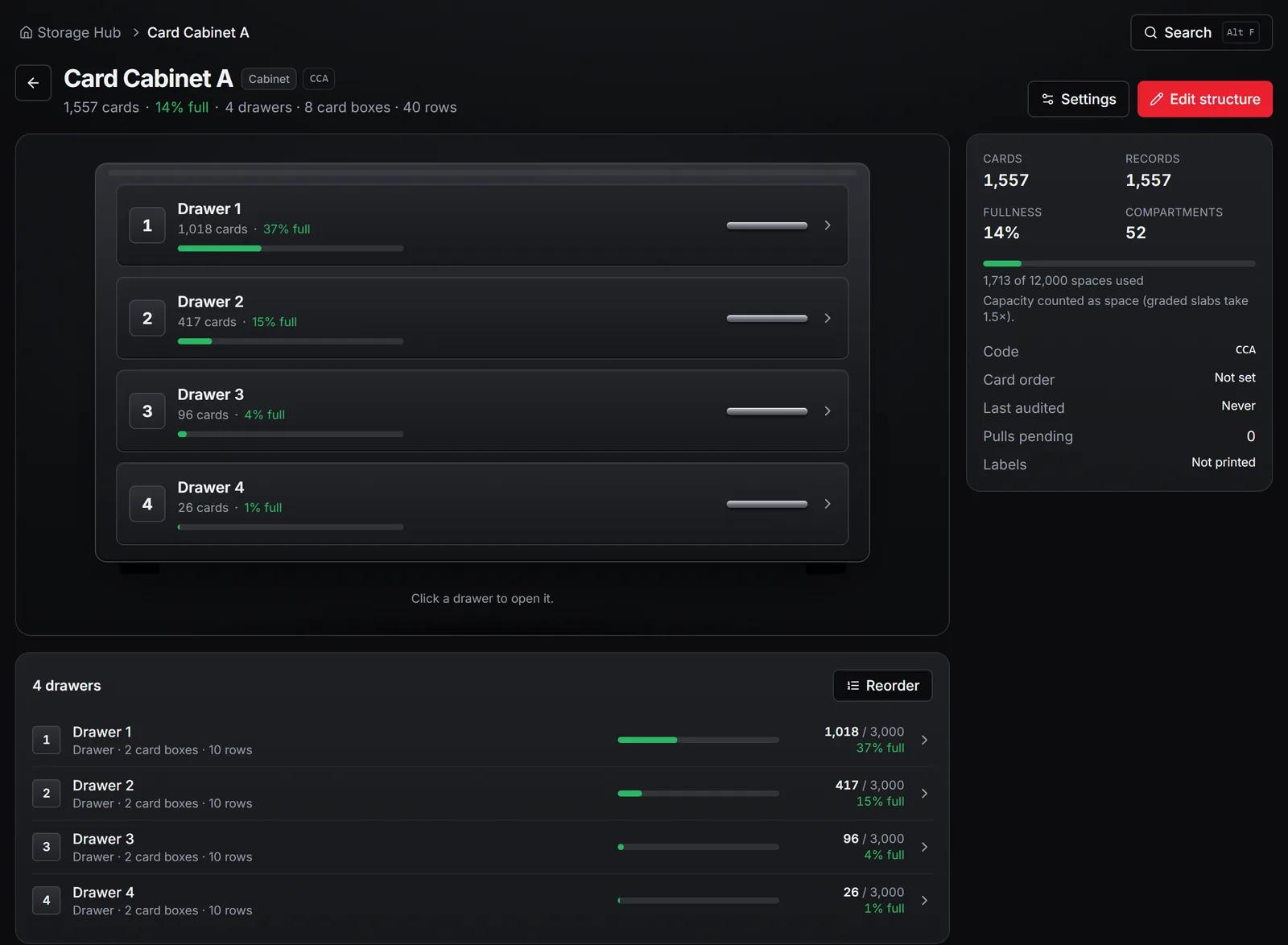
See each unit with its card count and how full it is, plus totals for cards stored, capacity used, cards awaiting putaway and pulls pending.
Find a card
Search for a card and see exactly which unit, box and row it's in, with its placement history.
Works with a scanner
Putaway, picks and audits accept scans from a standard keyboard-style barcode or QR scanner, or typed codes.
Smart defaults without rules
With no rules set, high-value cards are routed to a vault location and graded cards stay out of bulk storage.
Organize wizard
Audit what you have, review a proposed layout and work through a putaway wave.
Row audits
Check a row against what SlabIQ expects and see what's found and what's missing.
Print Center
Pick lists, bin pull reports, shipping summaries, packing slips and missing-card reports for your eBay orders.
Fulfillment Kiosk accounts
Give packing staff a shared-workstation login limited to the pick list and a read-only view of storage. Kiosks never see prices, buyers or addresses.
Screens from SlabIQ with a sample account: real catalog cards; prices, costs and sales are examples.
Good to know
What to expect
- Pick lists and pick tasks are built from eBay orders.
- Pick order follows your location codes and layout; it isn't route optimisation.
- Labels print through your browser's print dialog, so any printer that handles the label size works.
- Cards aren't placed automatically when a batch is listed; putaway mode walks you through the unplaced ones.
Use cases
Who uses Storage & Pick Lists
High-volume eBay sellers
Turn each day's orders into pick tasks with locations, and pull cards without searching boxes.
Shops with packing staff
Set up a Fulfillment Kiosk so staff can pick and pack without seeing prices or customer details.
Slab and high-end sellers
Route valuable and graded cards to their own locations and audit them row by row.
Questions
Storage & Pick Lists: common questions
What kinds of storage can I set up?
Do I need a barcode scanner?
How do pick lists work?
Can staff pick orders without seeing my prices?
Does it print labels?
Keep exploring
Related features and tools
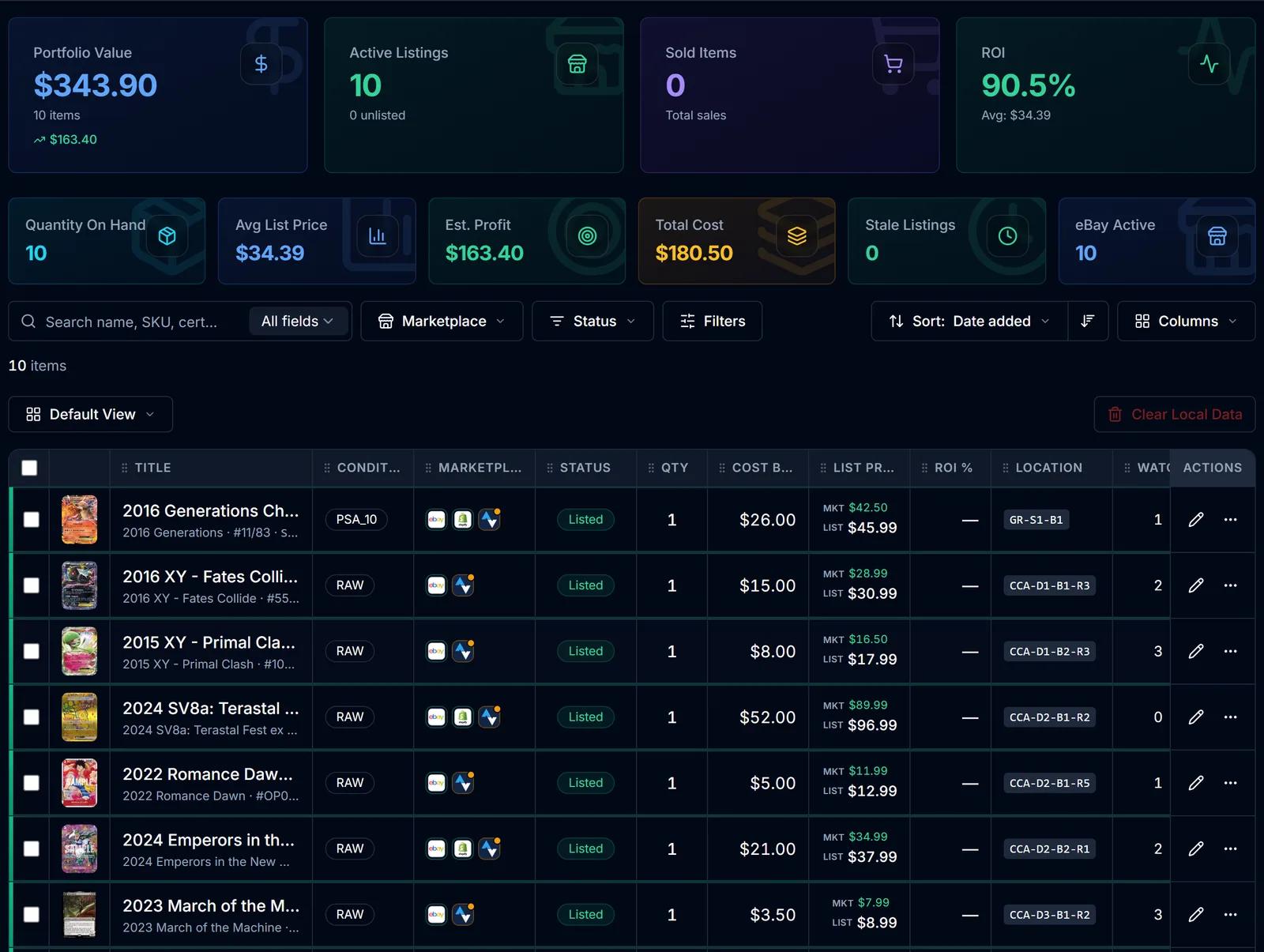
Inventory Manager
One record per card with cost basis, market and list price, ROI, marketplace status and storage location.
Learn more about Inventory Manager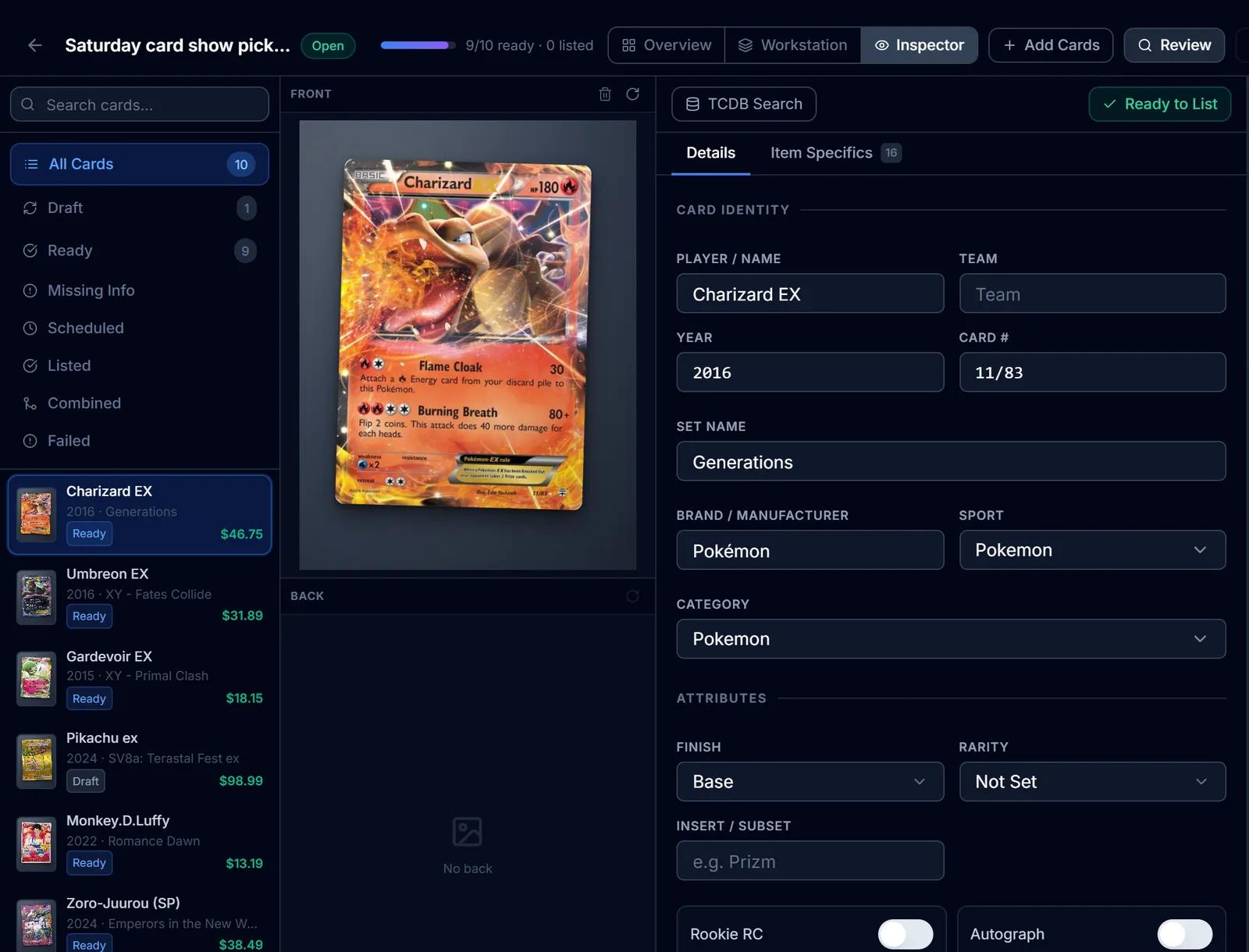
eBay Listing
eBay listings built from the identified card: titles, item specifics, graded fields, Best Offer and scheduled starts.
Learn more about eBay Listing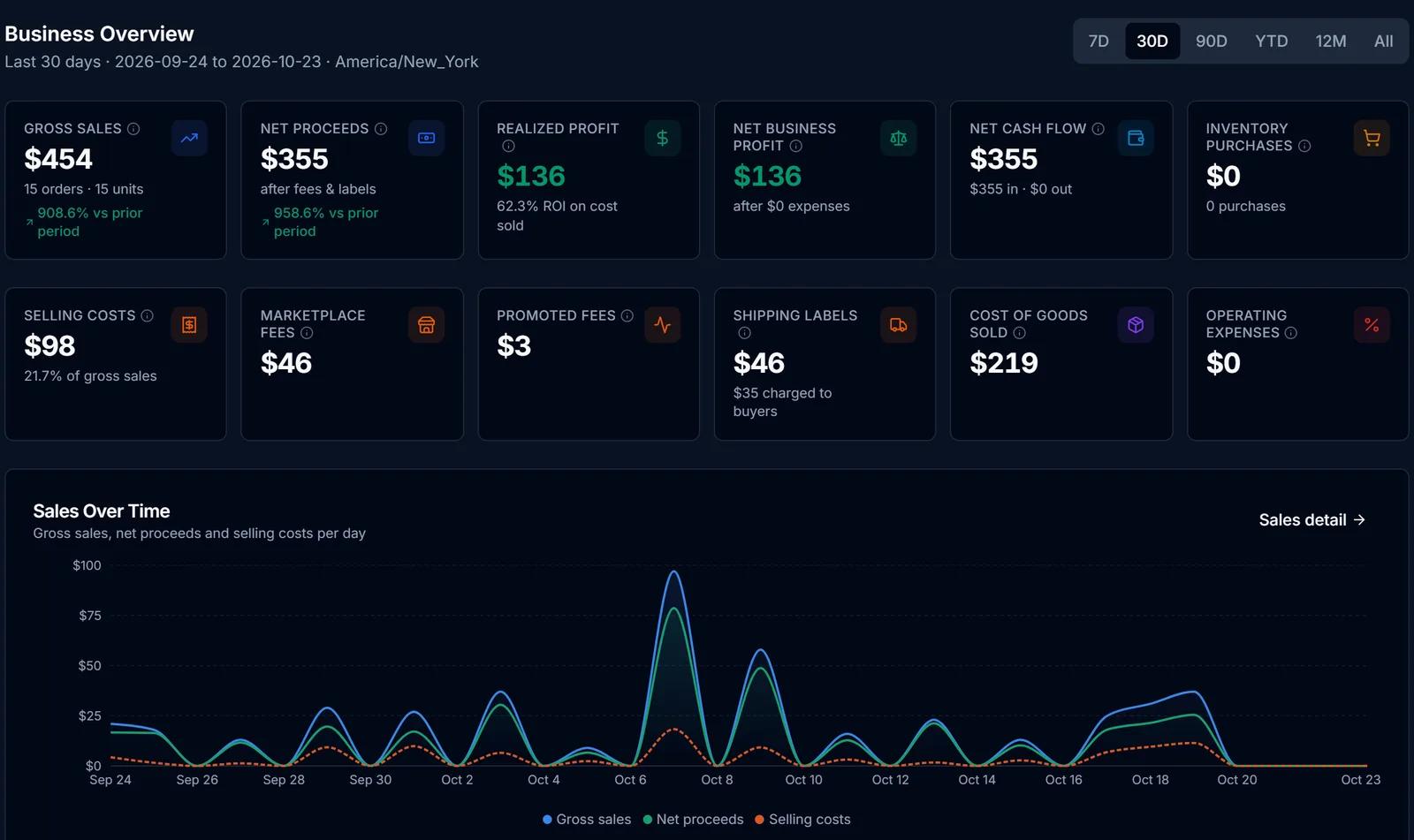
Finance Hub
Purchases, sales, fees, expenses and cost basis in one place, with realized profit kept apart from projections.
Learn more about Finance Hub
Try Storage & Pick Lists on your own cards
Create a free SlabIQ account and see it work with your own inventory. No credit card required.
500 scans / month on the free plan