
AI card identification
An AI card scanner that shows its work
SlabIQ identifies trading cards from your photos by comparing them with catalog images and reading the card with AI, then links each result to a specific card in its catalog. When it isn't sure, it says so and asks you to confirm.
No credit card required · 500 scans / month on the free plan
Why it matters
A card is more than a name
Two cards can share a player, a year and a set and still be worth very different amounts because of a parallel, an insert or a printing. A scanner that only reads the name gets you a search result, not an identification.
SlabIQ aims for the specific card: set, number, parallel or finish and language, linked to a record in its catalog. The title, item specifics and pricing that follow are then built on the right card.
How it works
How AI Card Scanner works
- Step 1
Image match first
Your photo is compared with catalog images. A close, unambiguous match is attached straight away. Look-alikes, such as parallels that share artwork or the same card in another language, are not attached automatically.
- Step 2
AI reads the card
If no image match is attached, AI reads the front and back: name or player, year, brand, set, insert, parallel, card number, serial number, team, rookie, autograph and memorabilia, plus grader and grade on slabs.
- Step 3
Catalog match
What was read is matched against the catalog. A strong match links the card; a weaker one is offered as a suggestion for you to confirm.
- Step 4
Parallels checked on their own
On sports cards, a parallel is only assigned on strong evidence. Colour alone never decides it, and an unclear parallel is marked for verification.
- Step 5
You confirm
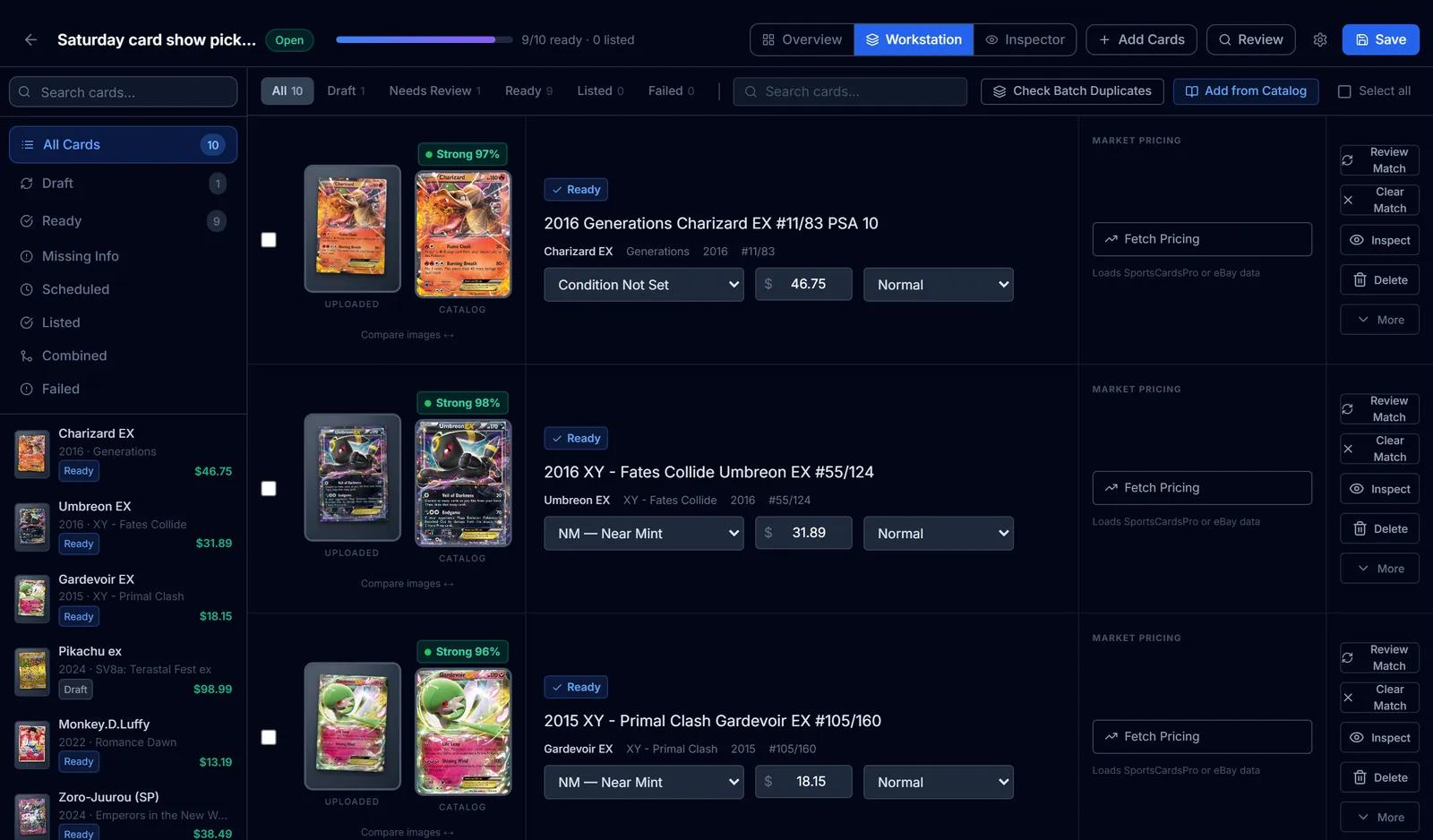
Cards that need a decision say why: several possible matches, a low-confidence match, or no catalog match. The review screen puts your photo beside the candidates.
Capabilities
What you can do with AI Card Scanner
Linked to a specific card
Results link to a catalog record with its set, number and printing, not just a name, so listings and prices start from the right card.
Sports cards and TCGs
Baseball, basketball, football, hockey, soccer and more, plus Pokémon, Magic: The Gathering, Yu-Gi-Oh!, One Piece, Disney Lorcana and Flesh and Blood.
A Pokémon card scanner too
Pokémon cards are matched to their set and number, and Korean and Chinese Pokémon cards to their own regional printing rather than the English card.
Graded slabs
The grader and grade are read from the slab label and carried into the listing.
Your photo beside the match
Review shows your card next to catalog candidates, with flip, zoom, a printing picker and a side-by-side compare.
Keyboard-driven review
Move between cards, set condition, search the catalog and compare candidates without leaving the keyboard.
No charge for failures
Only cards that are identified or confirmed use scan credits. A card that can't be read is left for you to edit.
One card at a time
Card Radar's Scan card tab identifies a single card from a photo when you just want to know what you're holding. It doesn't use your plan's scan credits; daily limits apply.
Identify a whole batch at once
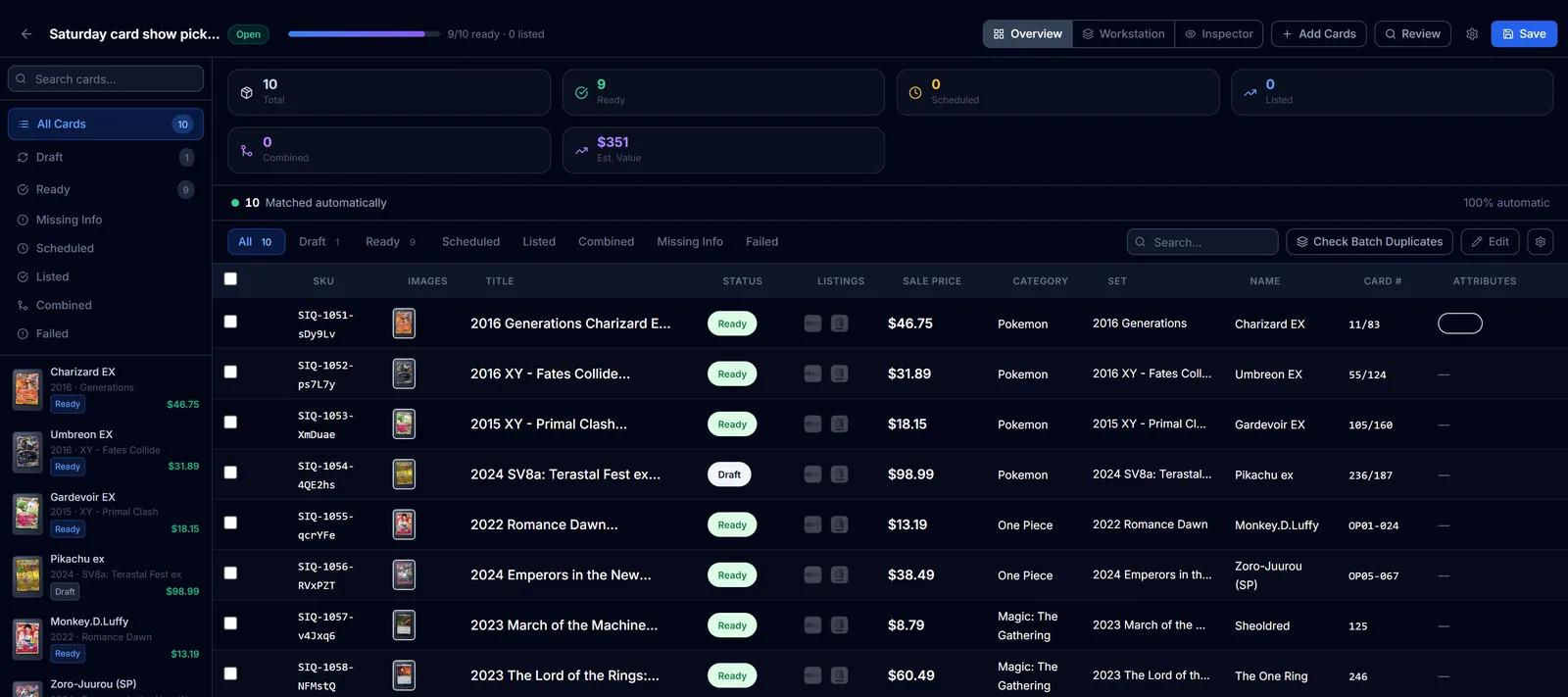
Upload a stack and SlabIQ matches every card, sports and TCG alike. Here all ten cards matched automatically, nine are ready to list, and the one left as a draft waits for your review.
Listing details filled in from the scan
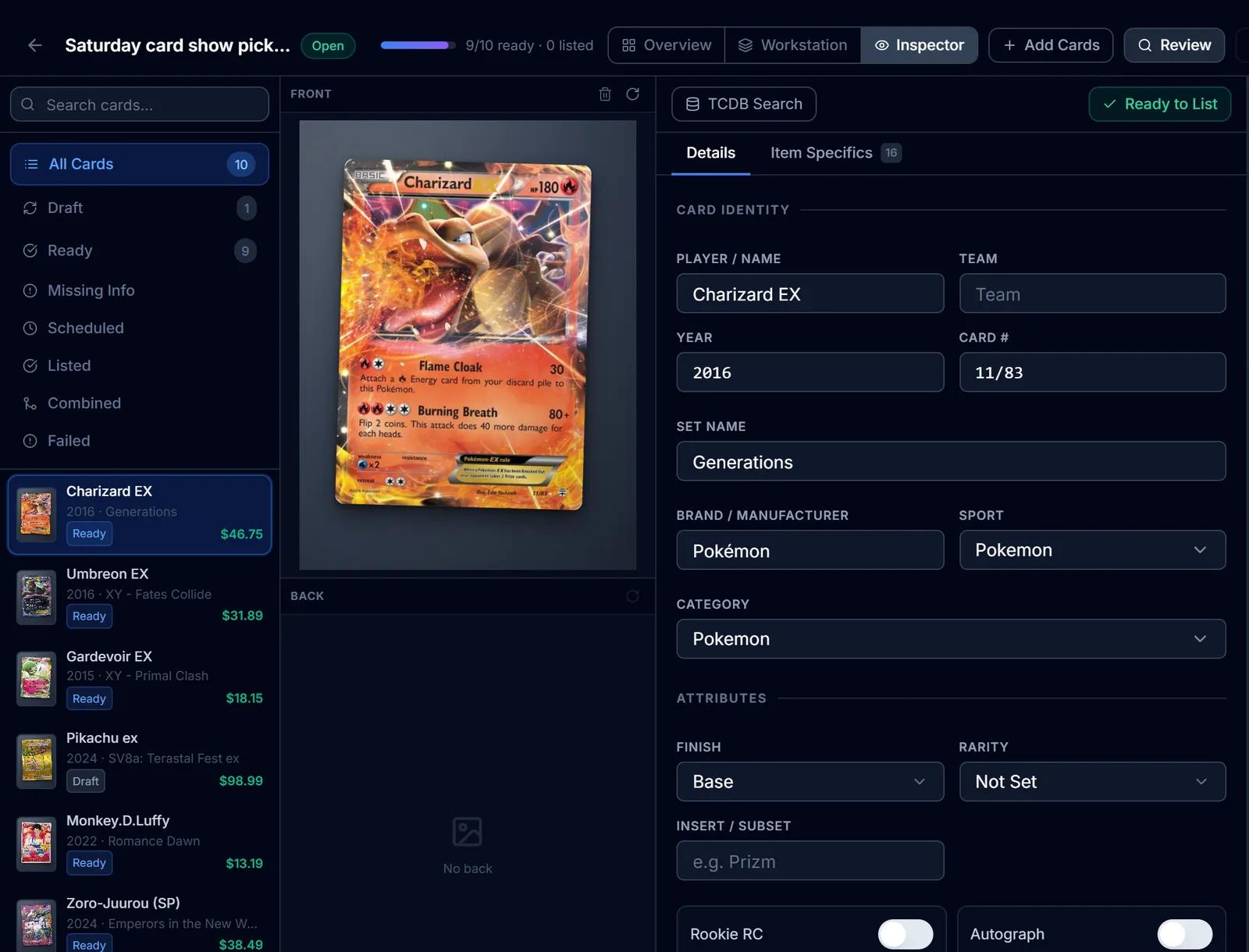
Name, year, set, card number and graded-slab fields come from the identified card, ready to go into your title template and item specifics.
Screens from SlabIQ with a sample account: real catalog cards; prices, costs and sales are examples.
Good to know
What to expect
- No card scanner is right every time. SlabIQ marks uncertain results for your confirmation, and its confidence badge reflects how sure a match is, not a measured accuracy rate.
- Image matching depends on the catalog having a picture of that card. Cards without one are read by AI instead.
- Set the batch to the right sport or game: trading card games are identified best when the batch knows which game it is.
- An unknown sports parallel stays Base until you set it.
- Identifying a card doesn't price it. Market pricing appears beside the card in review.
Use cases
Who uses AI Card Scanner
Sports card sellers
Inserts, parallels and serial numbers are read from the card and checked against the catalog, so the listing names the right version.
Pokémon and TCG sellers
Set, card number, rarity and language come from the catalog match, including Japanese, Korean and Chinese printings.
Slab sellers
Grader and grade are read from the label and carried into eBay's graded condition fields with the cert number you enter.
Questions
AI Card Scanner: common questions
How does SlabIQ identify a trading card?
Does it work as a Pokémon card scanner?
How accurate is it?
Can it tell parallels apart?
Does it read graded slabs?
Can I scan just one card?
Keep exploring
Related features and tools
Batch Scanner
Upload a stack of scans or phone photos and identify every card in one batch, with uncertain matches set aside for review.
Learn more about Batch Scanner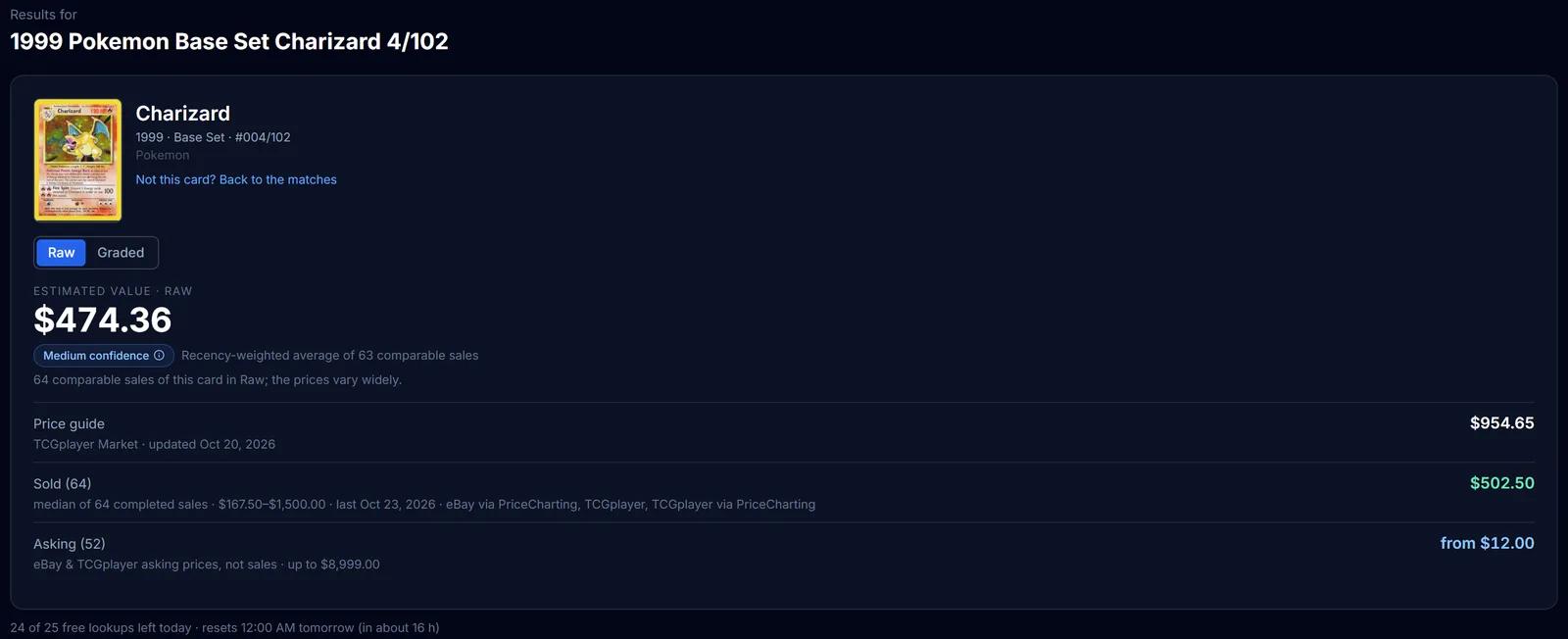
Market Pricing
TCGplayer market prices, completed sales and live asking prices for a card, each labelled, with an estimated value.
Learn more about Market Pricing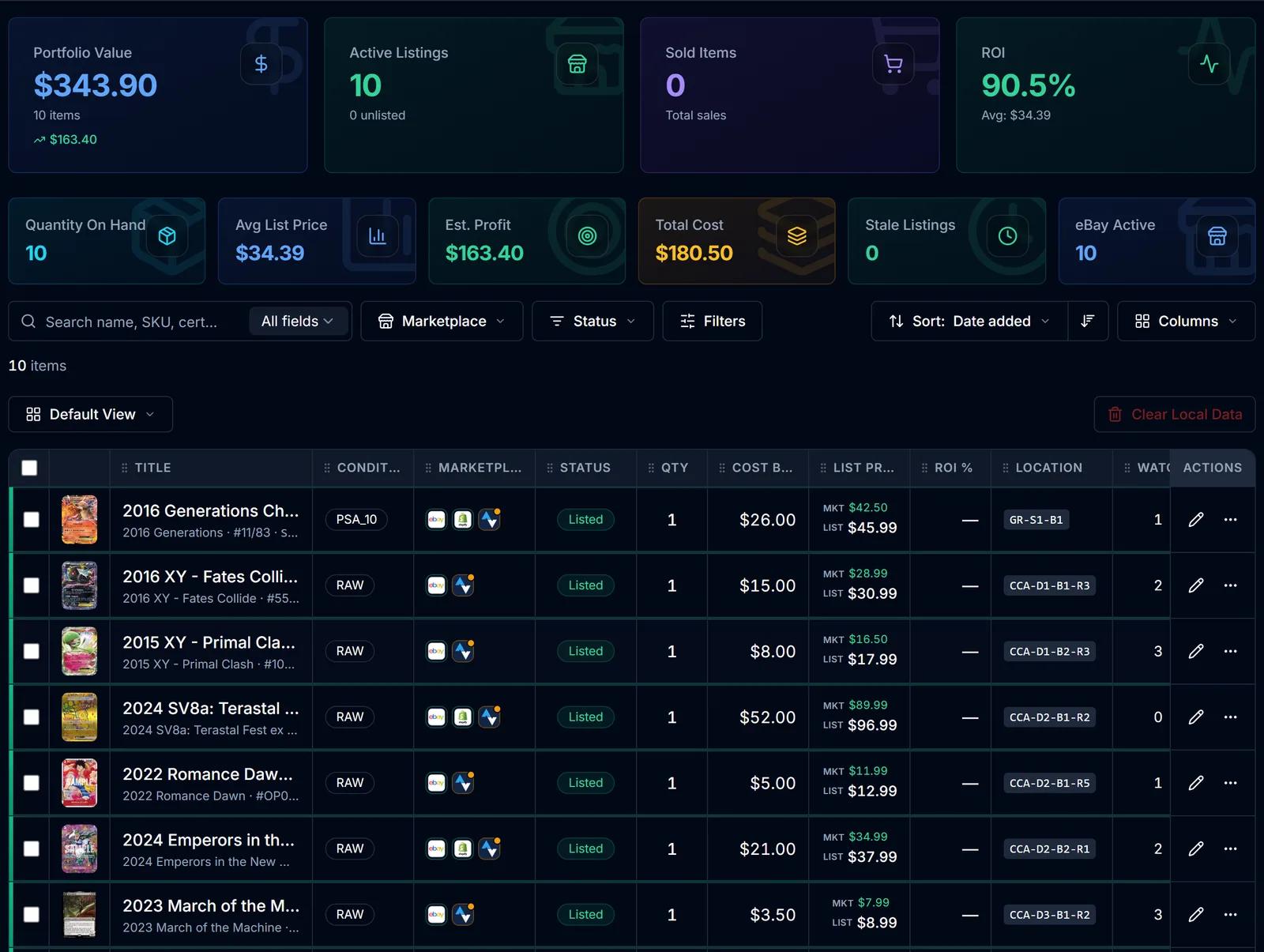
Inventory Manager
One record per card with cost basis, market and list price, ROI, marketplace status and storage location.
Learn more about Inventory Manager
Try AI Card Scanner on your own cards
Create a free SlabIQ account and see it work with your own inventory. No credit card required.
500 scans / month on the free plan