
Marketplace integrations
One card inventory for eBay, Shopify and CardTrader
Connect your marketplaces to SlabIQ and list cards from the same inventory records. When a card sells on one channel, SlabIQ records the sale once and follows it up on the card's other listings.
No credit card required · 500 scans / month on the free plan
Why it matters
Every extra marketplace multiplies the bookkeeping
Selling the same cards on more than one marketplace means more buyers, and more ways to sell a card twice. Each channel has its own listing format, its own copy of your stock and its own order screen.
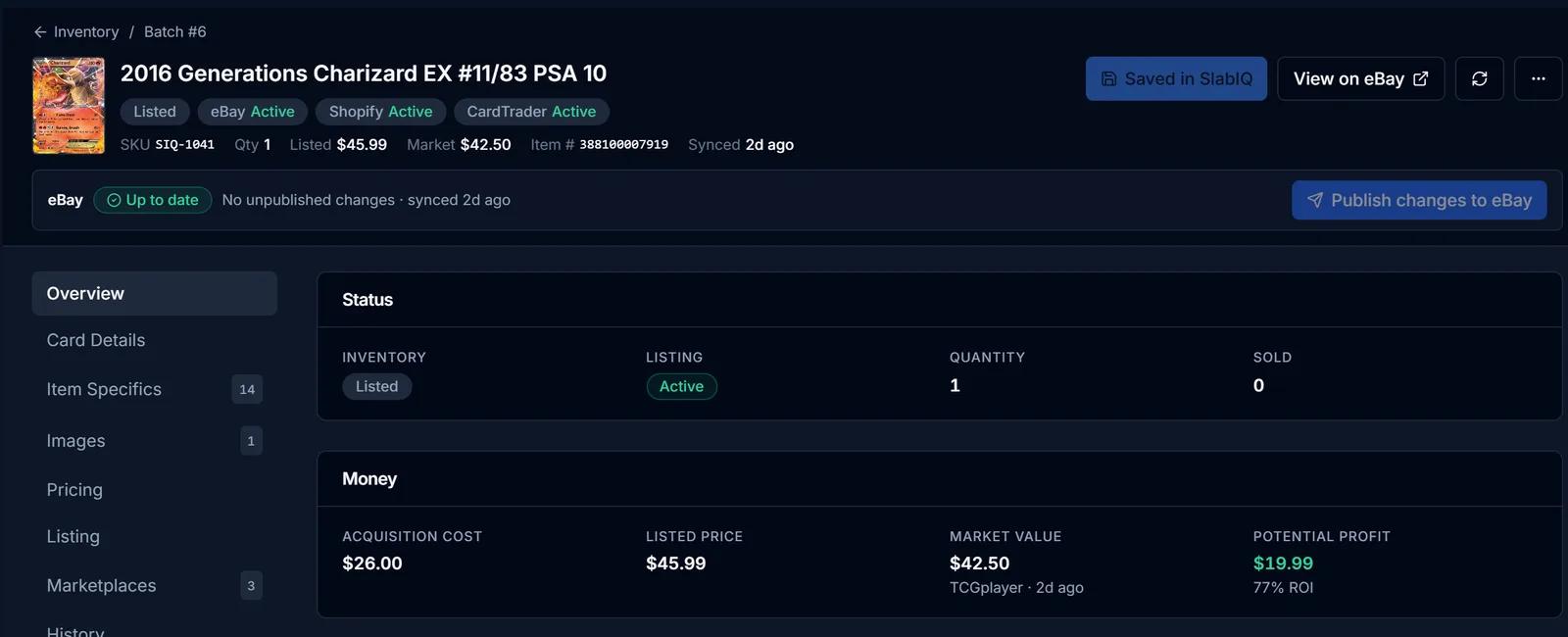
SlabIQ keeps one inventory record per card and links each marketplace listing to it, so listing, selling and stock all start from the same place.
How it works
How Marketplace Integrations works
- Step 1
Connect your accounts
Sign in to eBay through eBay's own authorization, add your Shopify store, and connect CardTrader with your API token. More than one account per marketplace is supported.
- Step 2
Bring in what you already sell
Import existing eBay listings and Shopify products into your SlabIQ inventory. Importing reads them and doesn't change them.
- Step 3
List from one record
Choose the marketplaces when you list a batch, or publish a single card to the store you pick from its inventory record.
- Step 4
Sales are recorded once
When a card sells, the sale is recorded against its inventory record and the card's other listings are updated: eBay listings are ended or their quantity revised, and Shopify products are taken off sale when they sell out.
Capabilities
What you can do with Marketplace Integrations
eBay, Shopify and CardTrader
List from batches or single items to the marketplaces connected to your account.
Several accounts per marketplace
Connect more than one eBay account or Shopify store, name them, and choose a default.
Connection health at a glance
Each account shows whether it's connected, needs reconnecting or has a sync error, and you can filter to the ones that need attention.
Imports per account
Import eBay listings or Shopify products for a specific account, and test a CardTrader connection, from the integrations page.
CardTrader pricing preview
Bulk publish to CardTrader with a price preview first, including the option to price from TCGplayer market prices.
A queue for anything unclear
Order lines SlabIQ can't match to inventory, or that might oversell a card, go to a review queue instead of being guessed.
Disconnect without side effects
Disconnecting an account doesn't end your listings on that marketplace.
CSV for other channels
Export inventory in TCGplayer, Whatnot and Square formats for marketplaces without a direct connection.
Inventory that knows where every card is
Every card shows where it's listed, what it cost, its market and list price, and the box or slab case it lives in, so pulling a sold card takes seconds.
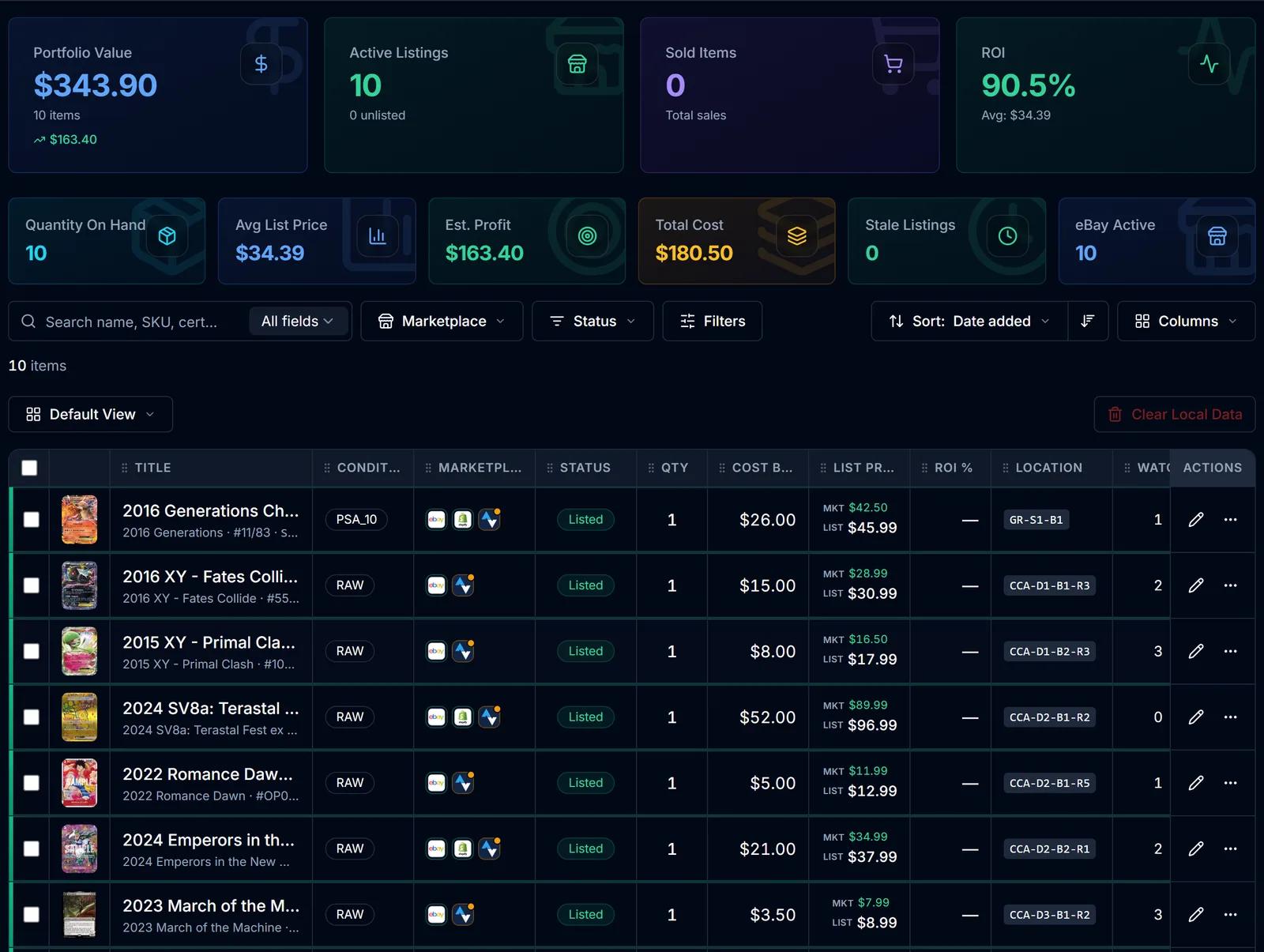
Screens from SlabIQ with a sample account: real catalog cards; prices, costs and sales are examples.
Good to know
What to expect
- Each marketplace supports different actions. eBay listings can be revised and ended from SlabIQ; Shopify products are taken off sale when they sell out; CardTrader listings need a TCG catalog match.
- How far quantity sync goes for Shopify and CardTrader depends on how sync is set up for those connections.
- Whatnot has no seller API, so Whatnot is supported through CSV export rather than a live connection.
- A marketplace shows up for listing once it's connected to your account.
Use cases
Who uses Marketplace Integrations
eBay sellers adding a web store
Put the same inventory on Shopify without keeping a second copy of every card.
TCG sellers
List catalog-matched TCG cards on CardTrader alongside eBay, priced from a preview before they publish.
Sellers with more than one eBay account
Connect each account, name it and choose which one is the default.
Questions
Marketplace Integrations: common questions
Which marketplaces does SlabIQ connect to?
What happens when a card sells on one marketplace?
Can I connect more than one eBay account?
Will importing change my existing listings?
Does disconnecting an account end my listings?
Keep exploring
Related features and tools
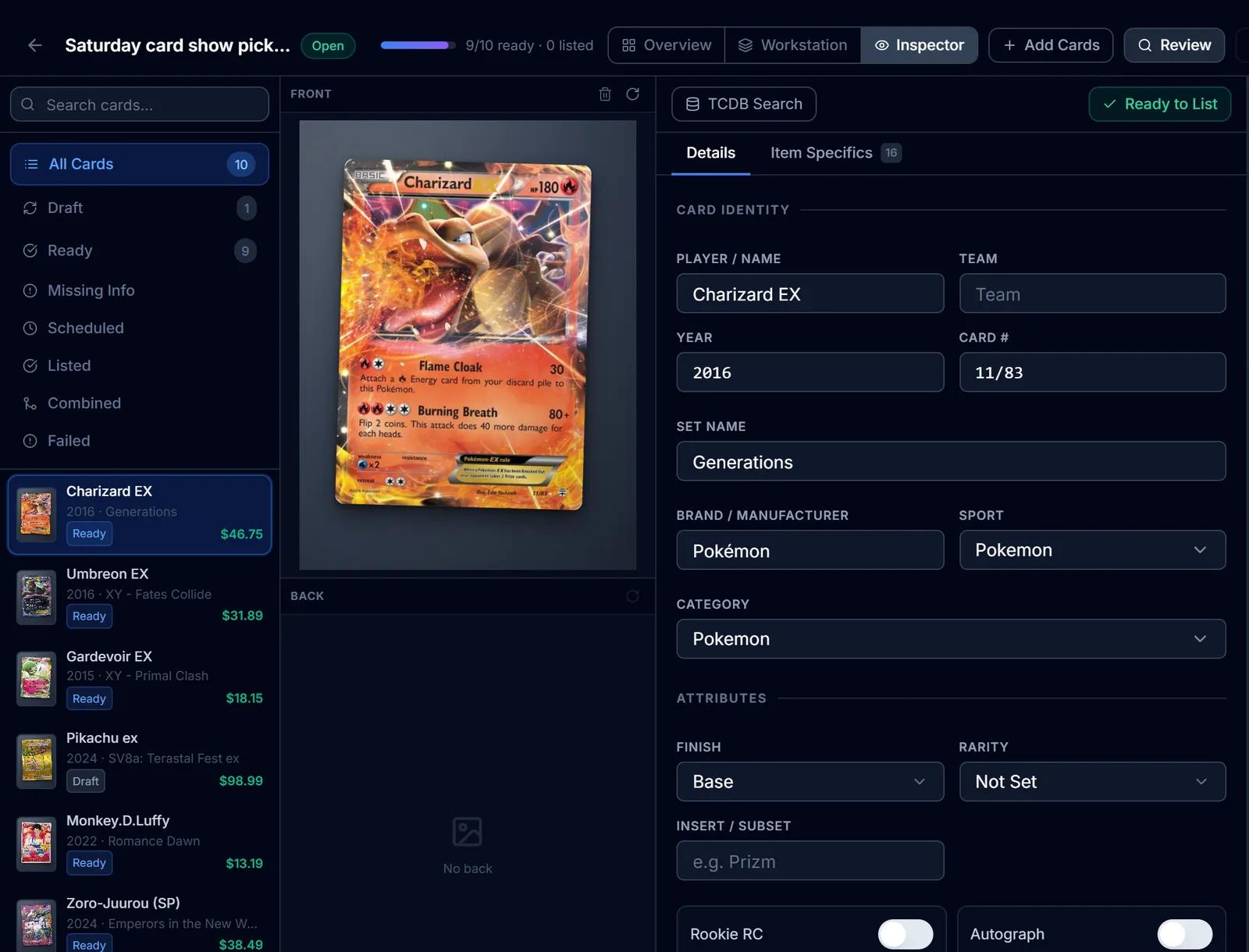
eBay Listing
eBay listings built from the identified card: titles, item specifics, graded fields, Best Offer and scheduled starts.
Learn more about eBay ListingInventory Manager
One record per card with cost basis, market and list price, ROI, marketplace status and storage location.
Learn more about Inventory Manager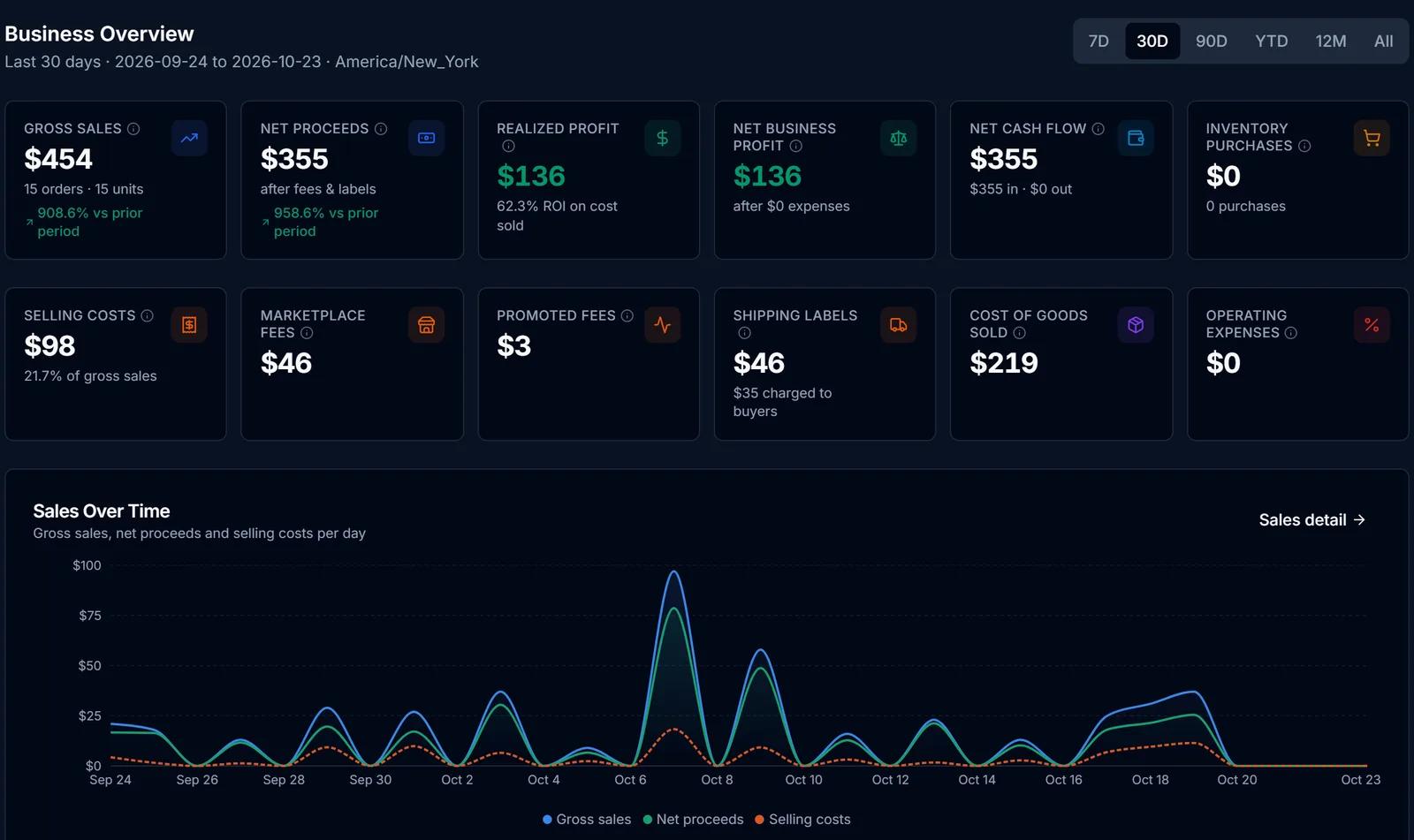
Finance Hub
Purchases, sales, fees, expenses and cost basis in one place, with realized profit kept apart from projections.
Learn more about Finance Hub
Try Marketplace Integrations on your own cards
Create a free SlabIQ account and see it work with your own inventory. No credit card required.
500 scans / month on the free plan