
Finance Hub
Profit tracking for card sellers, after every fee
Finance Hub brings purchases, sales, marketplace and promoted-listing fees, shipping labels, expenses and cost of goods into one place, and keeps what you've actually made apart from what your unsold cards might be worth.
No credit card required · 500 scans / month on the free plan
Why it matters
Revenue isn't profit
A $100 sale isn't $100. Marketplace fees, promoted-listing fees, the shipping label and what you paid for the card all come out of it, and when the card came from a lot or a break, its cost is hard to pin down.
Finance Hub nets those costs out of every sale and ties sales back to the purchases they came from, so the profit figure means what it says.
How it works
How Finance Hub works
- Step 1
Record purchases
Log singles, lots, sealed product, breaks or bulk buys. Item cost, shipping, tax and fees together become the cost basis.
- Step 2
Split lot costs across cards
Allocate a purchase's cost evenly or by market value, lock a card's cost when you know it, and preview the result before saving.
- Step 3
Sales come in
eBay orders sync in with their marketplace fees and shipping labels broken out, alongside orders from your other connected stores that SlabIQ records.
- Step 4
Add expenses
Record operating expenses and other income in built-in categories, with edit history and restore.
- Step 5
Read the numbers
Overview, P&L, cash flow and inventory views for any period from the last 7 days to all time.
Capabilities
What you can do with Finance Hub
The overview that matters
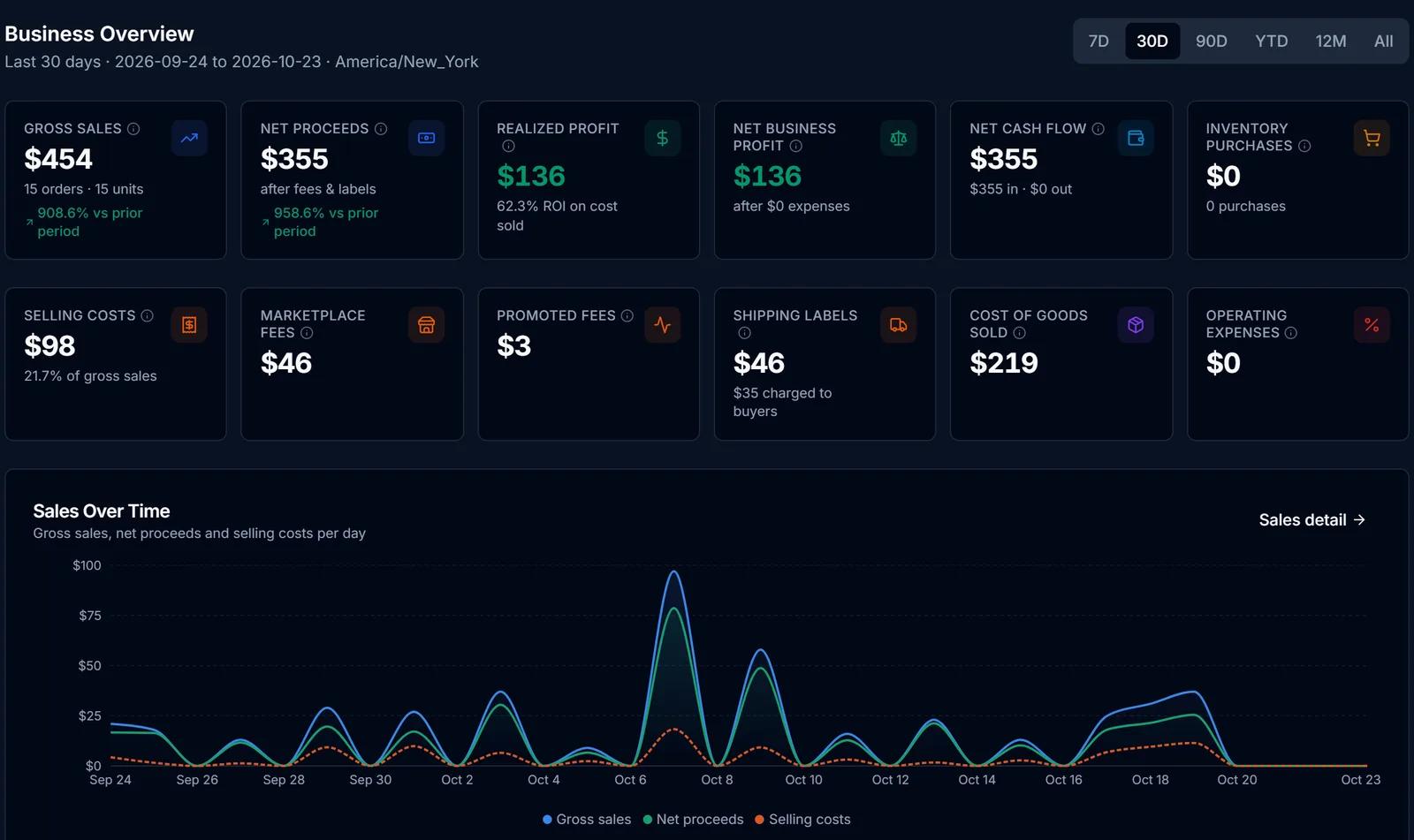
Gross sales, net proceeds, realized profit, net business profit, net cash flow and inventory purchases, plus selling costs broken into marketplace fees, promoted fees, shipping labels, cost of goods and operating expenses.
Realized and projected, kept apart
Profit from paid orders is reported separately from an estimate of what unsold stock could bring, and the estimate is labelled as one.
Every order broken down
See each order's fees, label cost and cost of goods. Sales tax collected is shown but not counted as revenue, and an unknown fee shows as not available rather than $0.
P&L statement
An accrual-basis P&L with a breakdown by marketplace, including ROI per channel, and a profit timeline.
Cash flow
Money in, money out, net and pending amounts, with a searchable transaction history.
Purchase performance
Each purchase shows its realized profit, realized ROI and how much of its cost has been recovered so far.
Inventory age
Unsold stock grouped by age: 0–30, 31–60, 61–90 and over 90 days.
Data checks
Flags for duplicate sales, missing costs, unconfirmed fees and broken links, so problems in the numbers are visible.
Batches linked to purchases
Tie a scanned batch to the purchase it came from for cost tracking.
Screens from SlabIQ with a sample account: real catalog cards; prices, costs and sales are examples.
Good to know
What to expect
- A sale with no known cost is reported as missing a cost, never as zero cost, and profit is marked as an upper bound while fees or costs are unconfirmed.
- Finance Hub reports in US dollars.
- It's a profit-tracking tool, not tax software, and doesn't produce tax forms.
- Promoted Listings cost-per-click spend is entered as an expense.
Use cases
Who uses Finance Hub
Resellers
See true margins per card and per channel after every fee, not just gross sales.
Breakers and box buyers
Record the box or break as one purchase and spread its cost across the cards it produced.
Dealers buying collections
Allocate a collection's cost by market value and watch how much of it each sale recovers.
Questions
Finance Hub: common questions
Does Finance Hub include eBay fees?
How is cost basis worked out for a lot?
What's the difference between realized and projected profit?
Which sales does it include?
Can I track expenses?
Keep exploring
Related features and tools
Inventory Manager
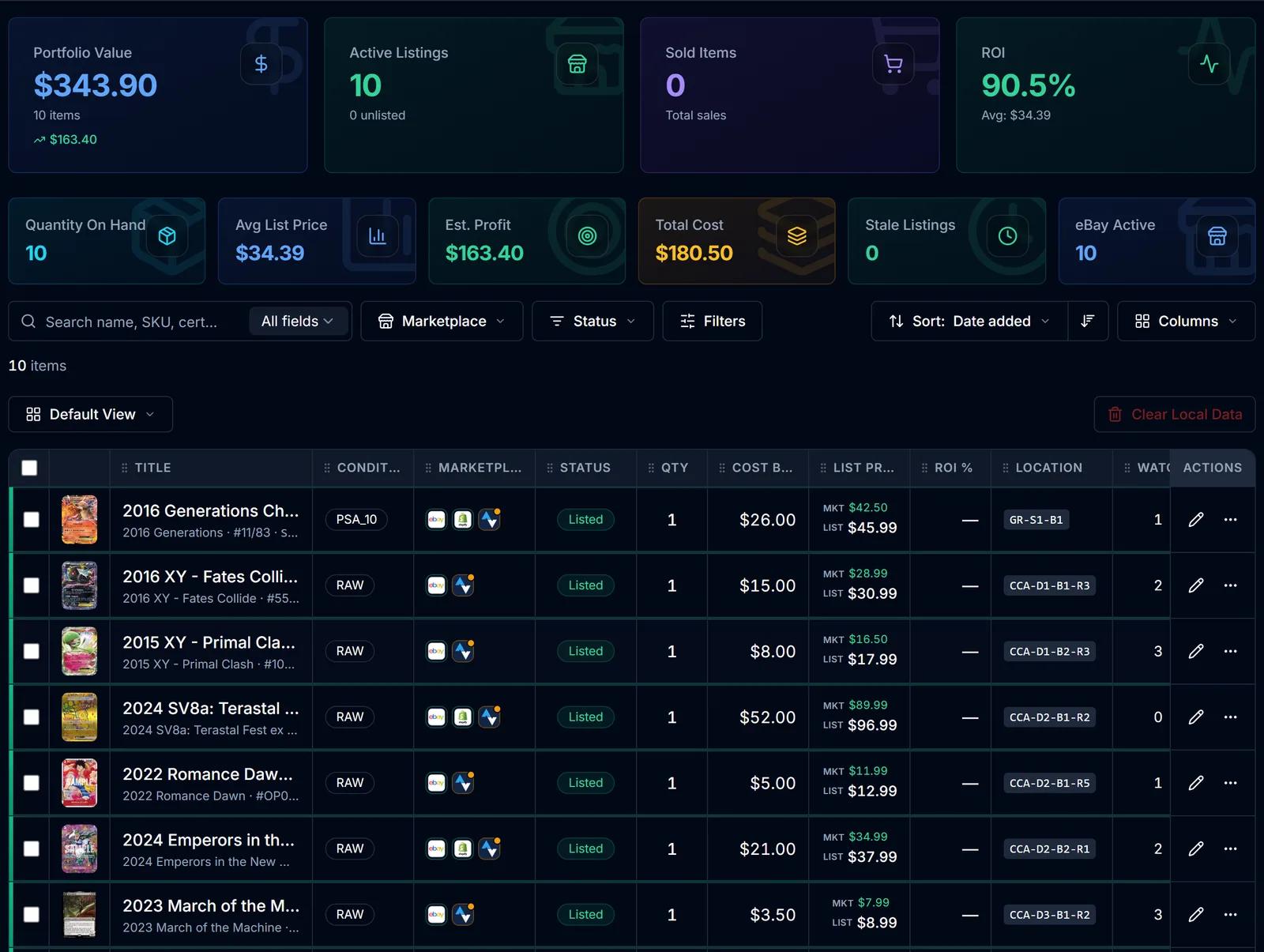
One record per card with cost basis, market and list price, ROI, marketplace status and storage location.
Learn more about Inventory Manager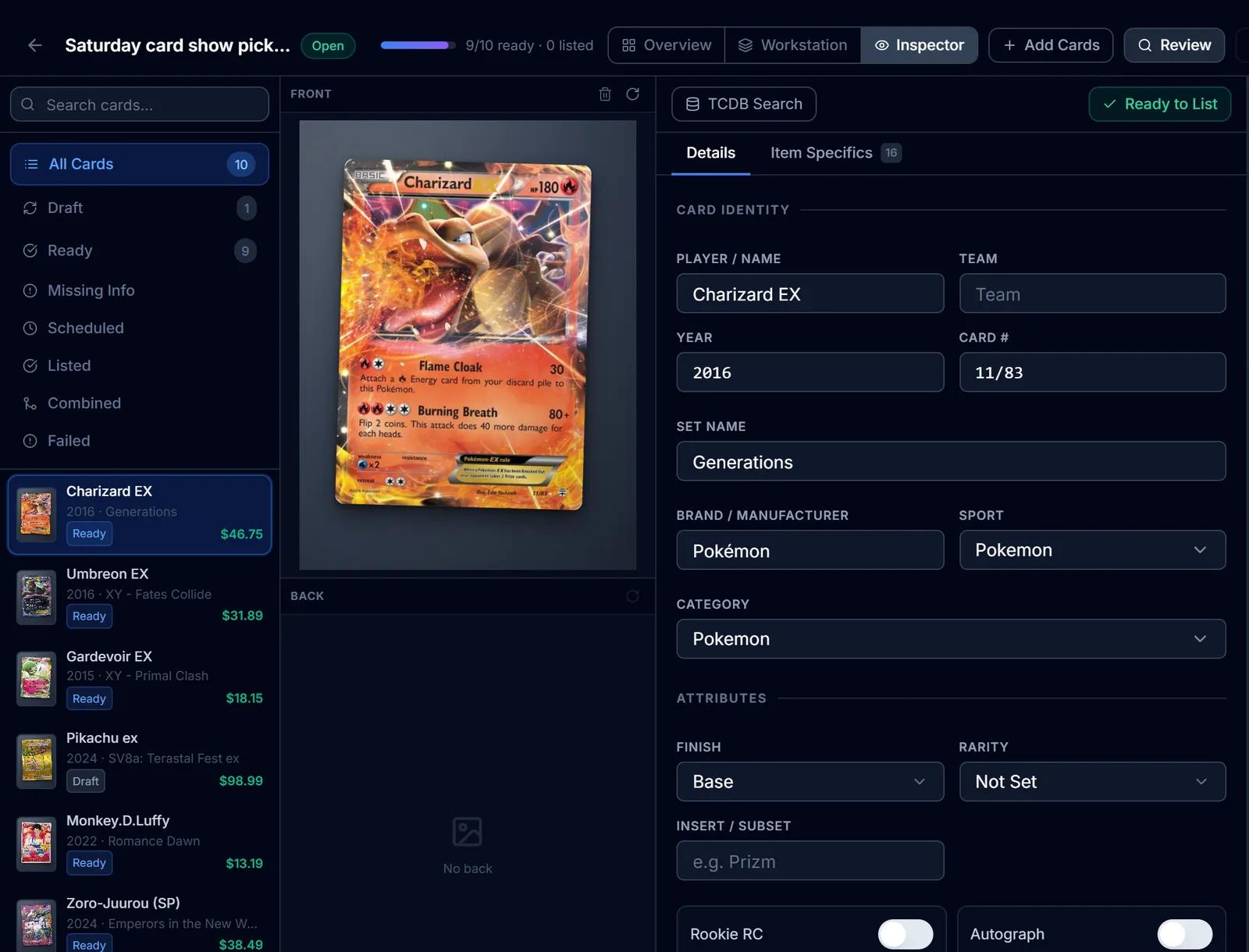
eBay Listing
eBay listings built from the identified card: titles, item specifics, graded fields, Best Offer and scheduled starts.
Learn more about eBay Listing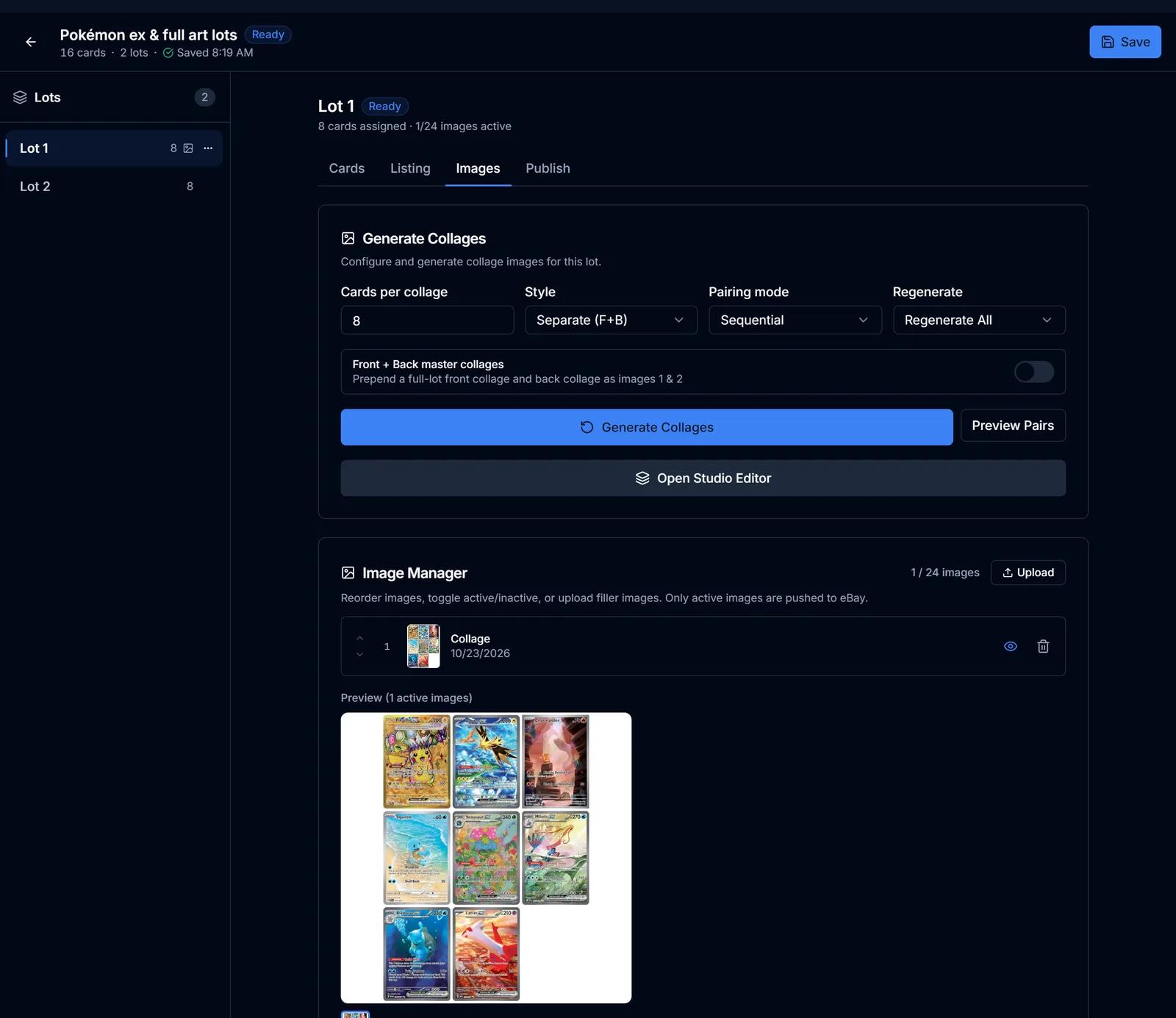
Lot Builder
Group cards into lots, generate collage images and lot titles, price from market values and list on eBay.
Learn more about Lot Builder
Try Finance Hub on your own cards
Create a free SlabIQ account and see it work with your own inventory. No credit card required.
500 scans / month on the free plan