
Lot Builder
Build eBay card lots with the collages and card lists done for you
Start a Lot Listing batch, scan the cards and split them into lots. SlabIQ generates the collage images, a lot title and a numbered card list, prices each lot from the cards' market values, and lists it on eBay.
No credit card required · 500 scans / month on the free plan
Why it matters
Some cards are worth more together
Listing a low-value card on its own rarely makes sense once fees, photos and shipping are counted. Selling cards as lots does, but photographing a lot, writing out the card list and working out a fair price by hand is slow.
The Lot Builder does that work from the batch you've already scanned: the cards are identified, priced and photographed, so the lot listing is mostly assembled for you.
How it works
How Lot Builder works
- Step 1
Start a Lot Listing batch
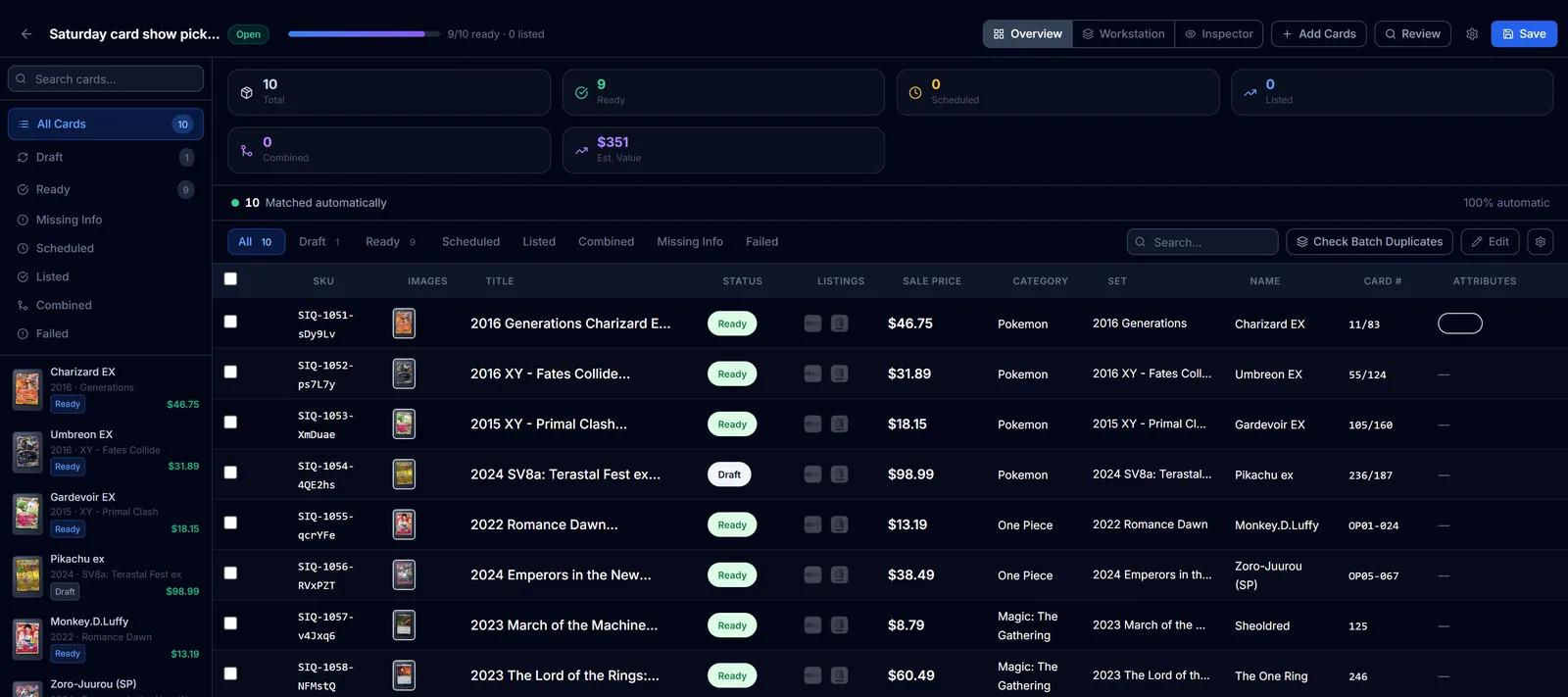
Choose Lot Listing when you create a batch, then add and process your card images like any other batch.
- Step 2
Split cards into lots
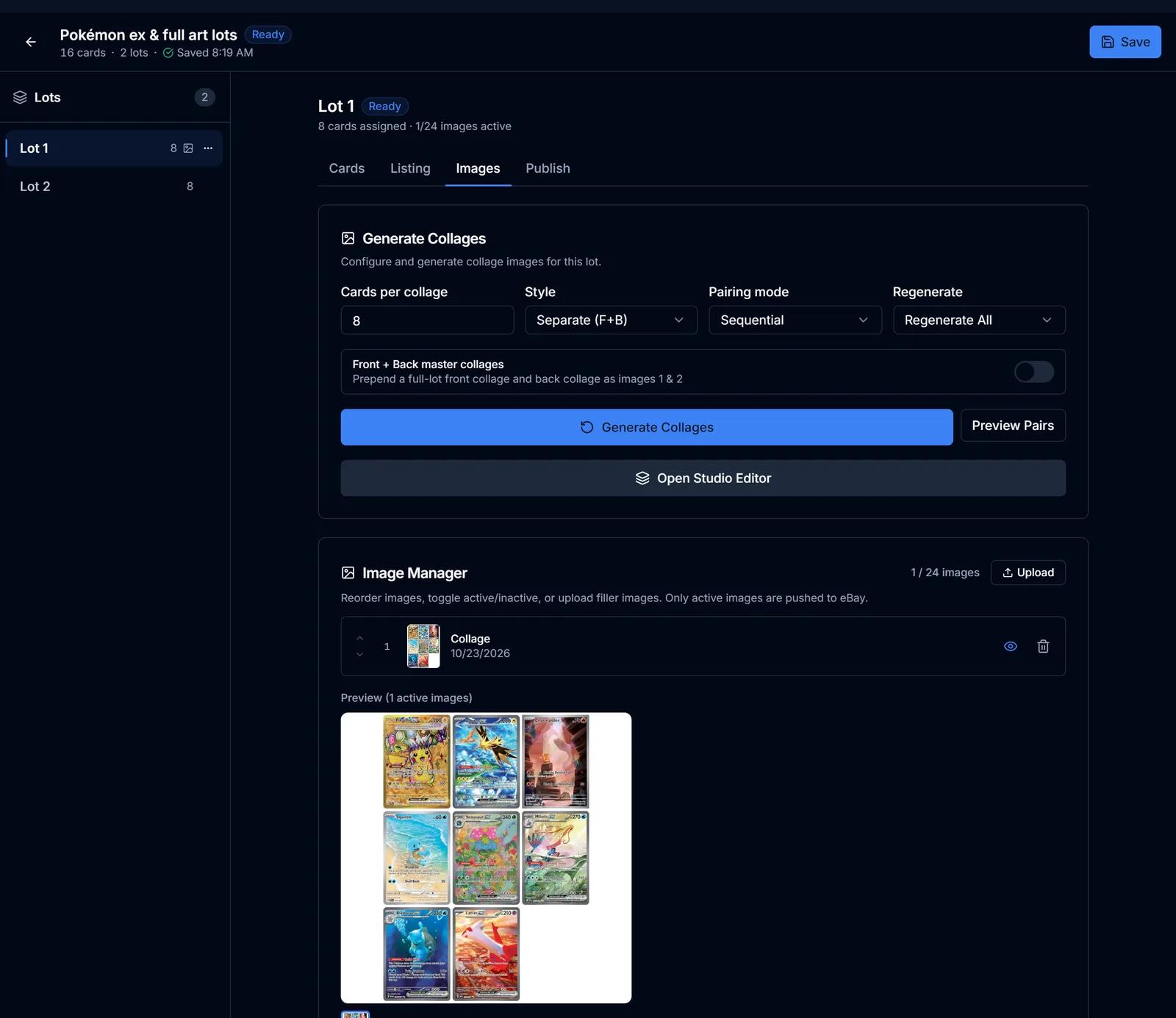
Make a lot from a selection, move cards between lots, or split the unassigned cards into lots of a set size.
- Step 3
Generate collages
SlabIQ builds collage images of each lot, 1 to 30 cards per image, with optional front and back master collages.
- Step 4
Title and card list
Each lot gets a title like "Lot of 8 Pokemon Cards" and a numbered list of the cards in it, or text from your own lot templates.
- Step 5
Price the lot
Fetch each card's market price and set the lot price as a discount from the total, then adjust it if you like.
- Step 6
List on eBay
List each lot as a fixed-price listing or a 7-day auction, with Best Offer, a scheduled start, item specifics and a store category.
Capabilities
What you can do with Lot Builder
Collage styles
Separate or paired front-and-back layouts, a set number of cards per collage, and optional master collages of the whole lot.
Studio editor
Fine-tune collage pages on a canvas with presets and undo, then render every page.
Lot templates
Write titles and descriptions with placeholders for the card count, the card list and the market total.
Priced from the cards
The lot price starts from the cards' combined market value minus the discount you choose.
Fixed price or auction
Lots list on eBay as fixed-price (good 'til cancelled) or as 7-day auctions, with Best Offer and a scheduled start.
Ready only when complete
A lot is marked ready once every card in it appears in the collage images.
CSV export
Export lots or their cards in eBay File Exchange format.
Lot Builder Vault
On plans that include it, scan cards into a vault and get suggested lots grouped by team, player, set, rookies, numbered cards, parallels and value.
Screens from SlabIQ with a sample account: real catalog cards; prices, costs and sales are examples.
Good to know
What to expect
- Lots are listed on eBay, one listing per lot with a quantity of one.
- Vault suggestions follow clear rules (team, player, set and the like) rather than guesswork, and you choose which to build.
- Collage images use the card photos in the batch, so better scans make better collages.
Use cases
Who uses Lot Builder
Breakers
Turn the base cards from a break into team or set lots instead of leaving them in a box.
Bulk sellers
Move lower-value cards in lots priced from their combined market value.
TCG sellers
Bundle playable or collectible cards into lots with a collage buyers can check card by card.
Questions
Lot Builder: common questions
What is a lot listing?
How are the lot photos made?
How is a lot priced?
Can I list lots as auctions?
Which marketplaces can lots be listed on?
Keep exploring
Related features and tools
Batch Scanner
Upload a stack of scans or phone photos and identify every card in one batch, with uncertain matches set aside for review.
Learn more about Batch Scanner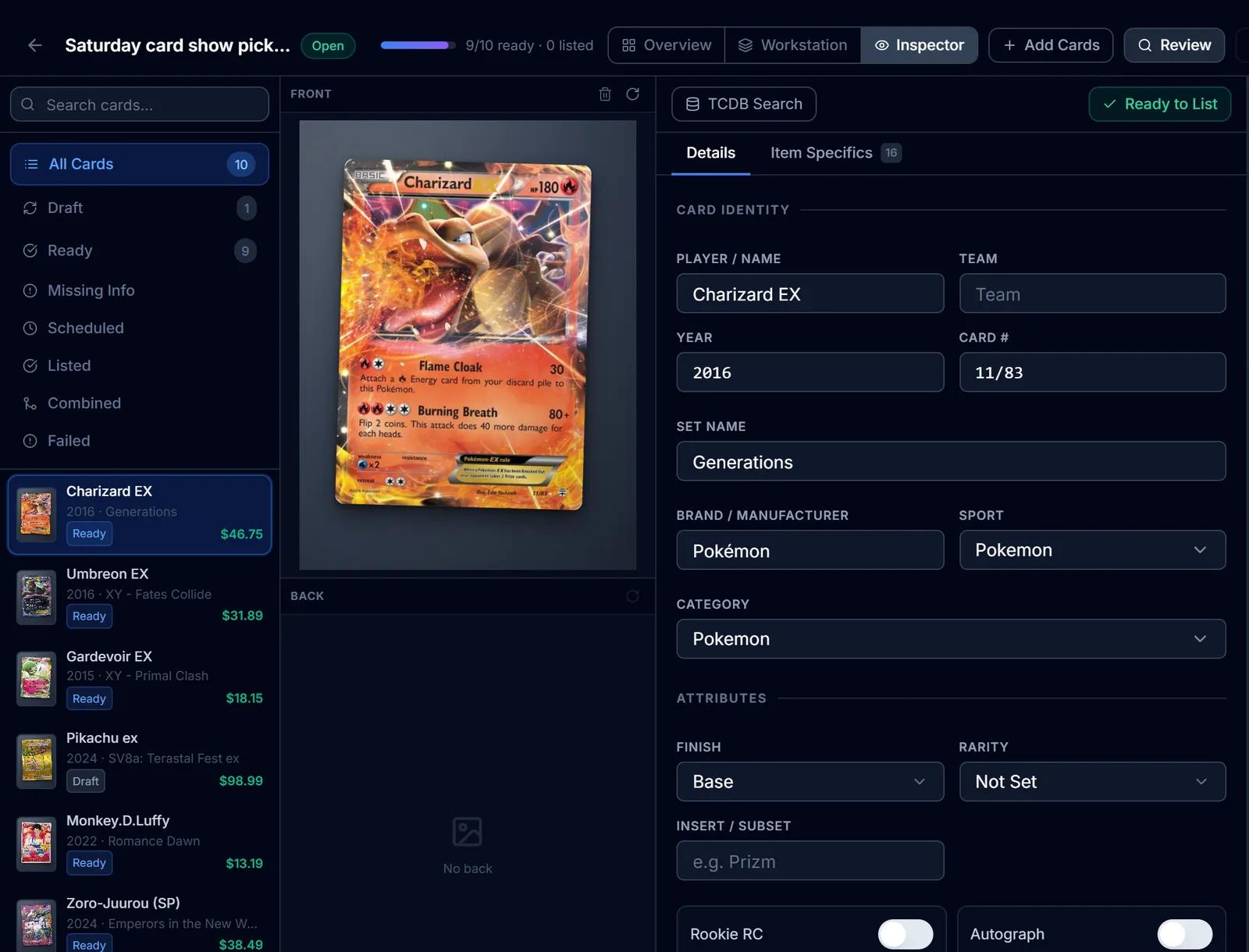
eBay Listing
eBay listings built from the identified card: titles, item specifics, graded fields, Best Offer and scheduled starts.
Learn more about eBay Listing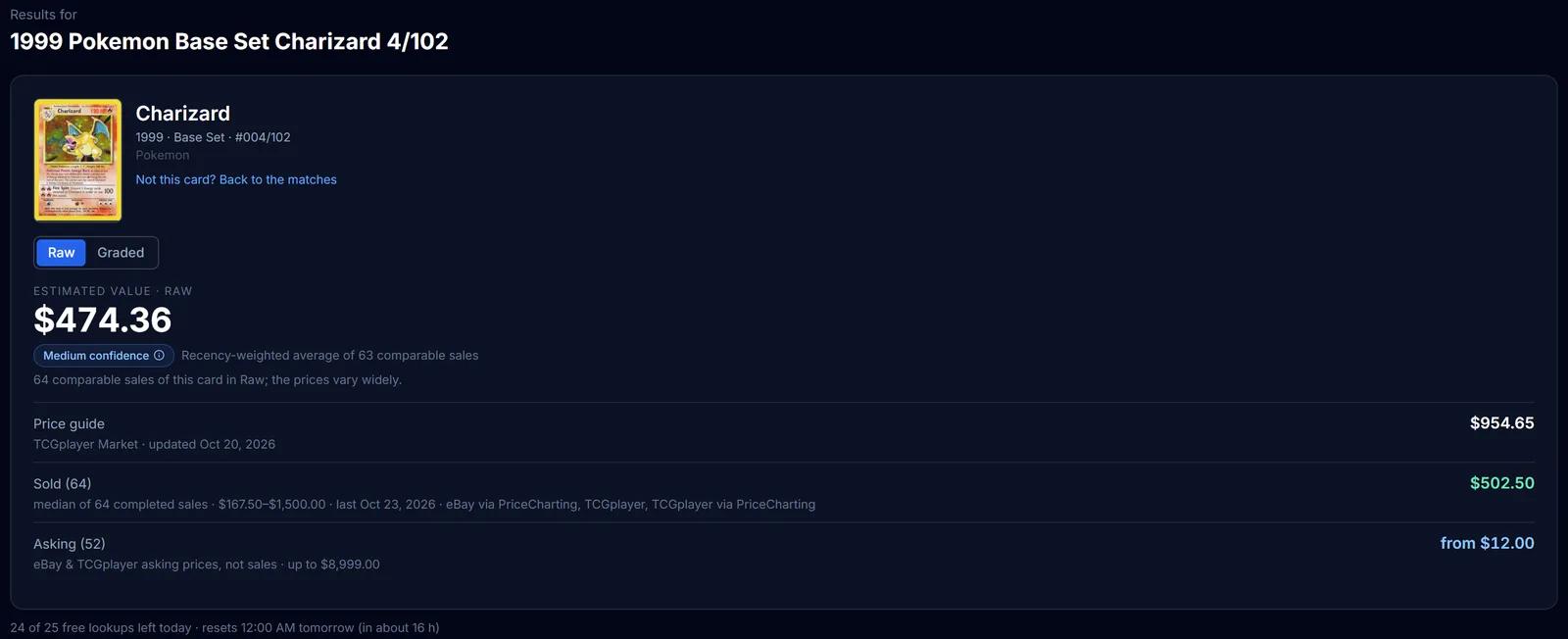
Market Pricing
TCGplayer market prices, completed sales and live asking prices for a card, each labelled, with an estimated value.
Learn more about Market Pricing
Try Lot Builder on your own cards
Create a free SlabIQ account and see it work with your own inventory. No credit card required.
500 scans / month on the free plan