
Duplicate Control
Find duplicate card listings and combine them into one
Duplicate Control scans your inventory for cards listed more than once, shows why each pair matches, and combines the copies into a single eBay listing with the quantity added up — only after you've previewed and confirmed every change.
No credit card required · 500 scans / month on the free plan
Why it matters
Duplicate listings split your sales and your stock
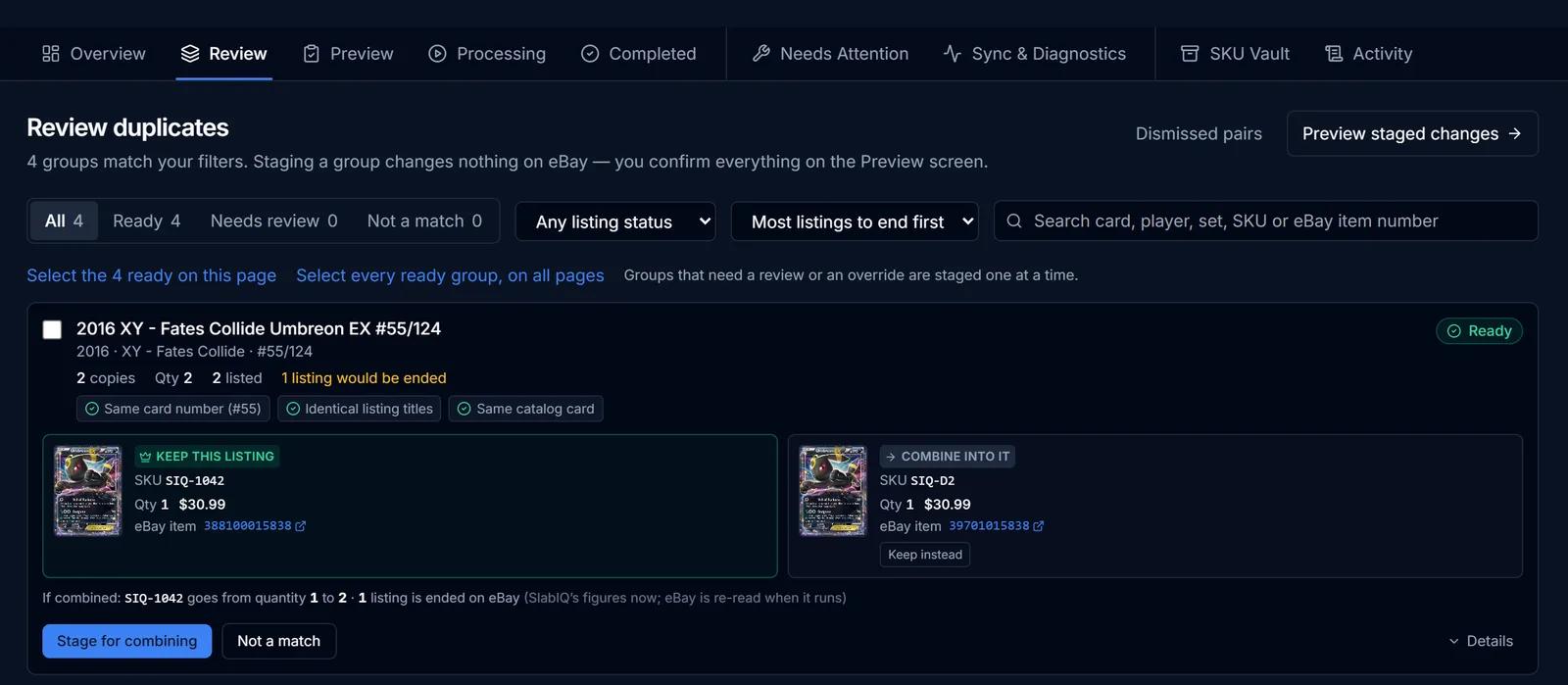
Over time the same card ends up listed twice: two copies scanned in different batches, an old listing nobody ended, an import that brought one back. Each duplicate splits the card's watchers and sales history and makes stock harder to trust.
Duplicate Control finds those copies, explains why it thinks they match, and folds them into one listing with the right quantity.
How it works
How Duplicate Control works
- Step 1
Run a scan
Scan unsold inventory at strict, balanced or loose sensitivity, optionally filtered by category or marketplace.
- Step 2
Review the matches
Each group shows its evidence — identical titles, the same catalog card, the same card number, SKU or eBay item — and a confidence level.
- Step 3
Choose what to keep
Keep the suggested listing or pick another, dismiss pairs that aren't duplicates, and stage the groups you want to combine.
- Step 4
Preview and confirm
The preview lists exactly which eBay listings would end. Nothing runs until you tick the confirmation and start it.
- Step 5
Combine
The kept listing's quantity is raised on eBay first, then the other listings are ended, and every step is recorded.
Capabilities
What you can do with Duplicate Control
Evidence on every match
See why two listings were grouped, from identical titles and catalog matches to shared SKUs or eBay item numbers.
Confidence tiers
Exact, very likely, likely and possible matches, with only well-proven groups marked ready.
Safe by design
Graded and raw copies, different grades or graders, different serial numbers and different eBay stores are never combined.
eBay quantity checked first
The kept listing's quantity starts from eBay's live figure, and if a step fails the combine is reversed.
SKU Vault
Every retired SKU records where its stock went, so old SKUs stay traceable.
Activity trail
Completed runs, items needing attention and a full audit trail of what was changed.
Duplicates inside a batch
In the Batch Scanner, Check Batch Duplicates combines copies of the same card before they're ever listed, and that can be undone.
Screens from SlabIQ with a sample account: real catalog cards; prices, costs and sales are examples.
Good to know
What to expect
- Combining works on eBay listings.
- Ending a listing can't be undone from SlabIQ, which is why every combine needs a preview and your confirmation.
- Nothing combines automatically; every group is staged and confirmed by you.
- Duplicate Control is available on plans that include it; see the pricing page.
Use cases
Who uses Duplicate Control
Long-time eBay sellers
Clean up years of accidental double listings into single listings with the right quantity.
Sellers who import
After importing an existing eBay store, find the copies that were listed separately.
High-volume scanners
Catch the same card scanned in two batches before buyers see it listed twice.
Questions
Duplicate Control: common questions
How does SlabIQ find duplicate listings?
Will it combine listings automatically?
What happens on eBay when I combine?
Can it combine a graded card with a raw one?
Keep exploring
Related features and tools
Inventory Manager
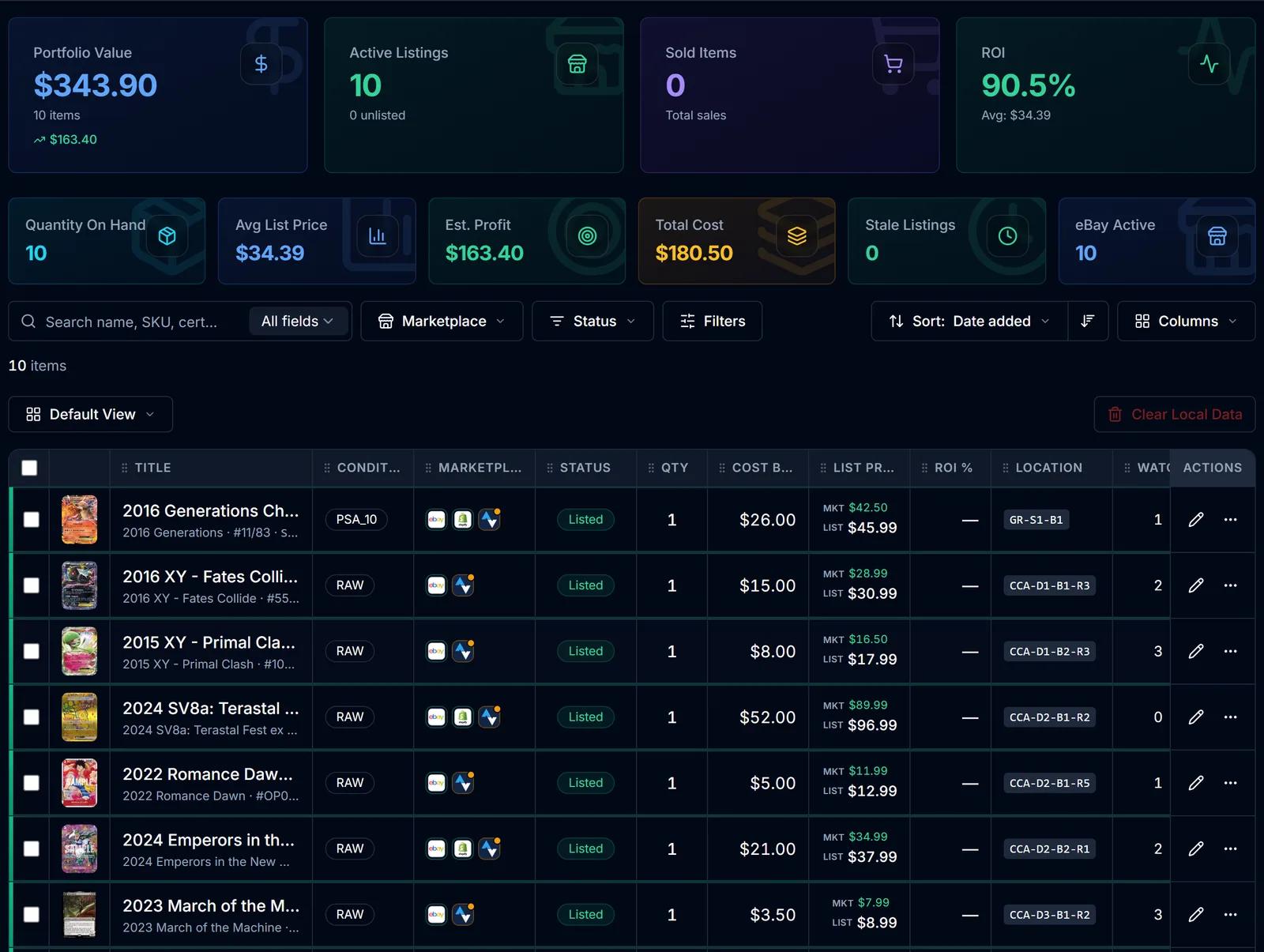
One record per card with cost basis, market and list price, ROI, marketplace status and storage location.
Learn more about Inventory Manager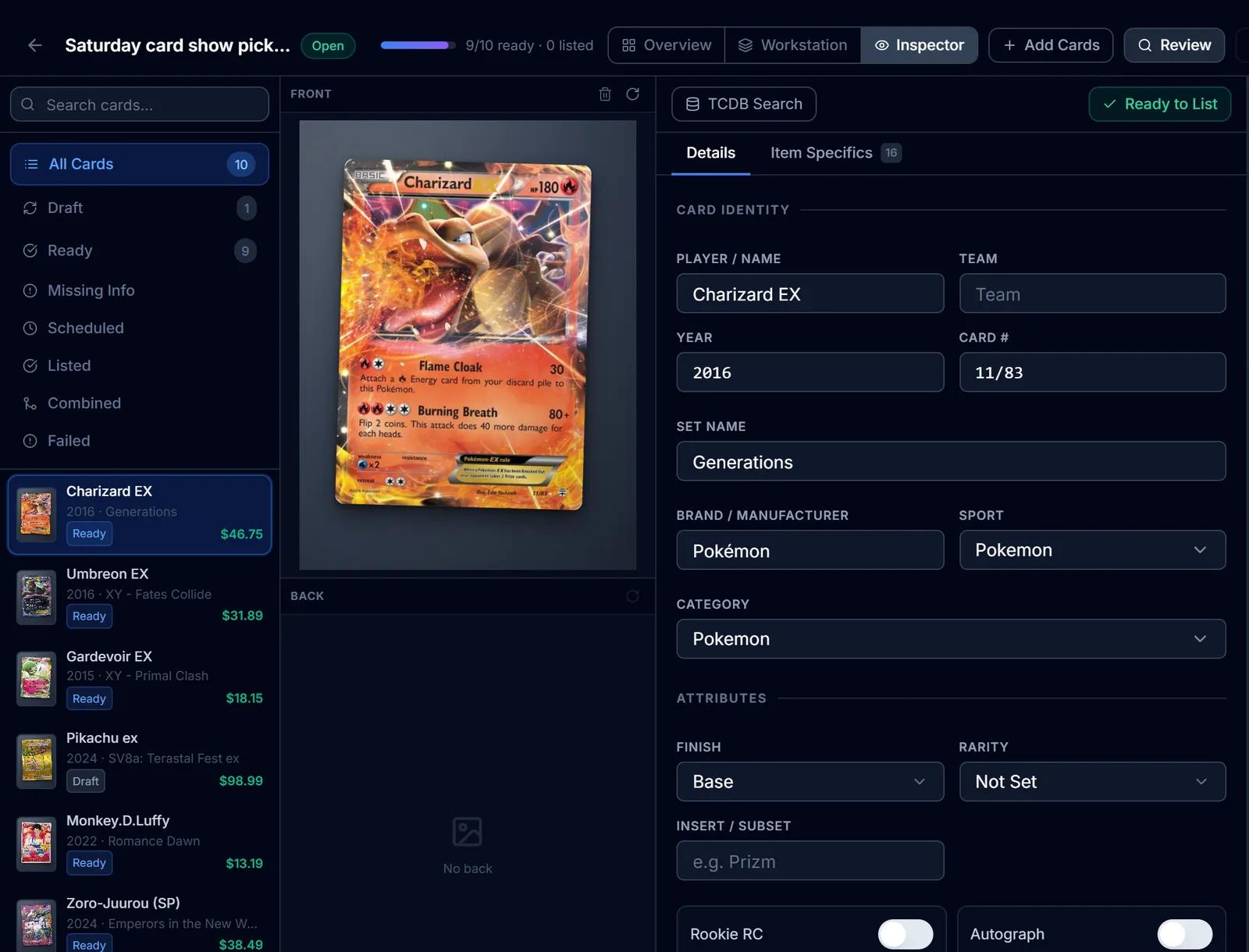
eBay Listing
eBay listings built from the identified card: titles, item specifics, graded fields, Best Offer and scheduled starts.
Learn more about eBay Listing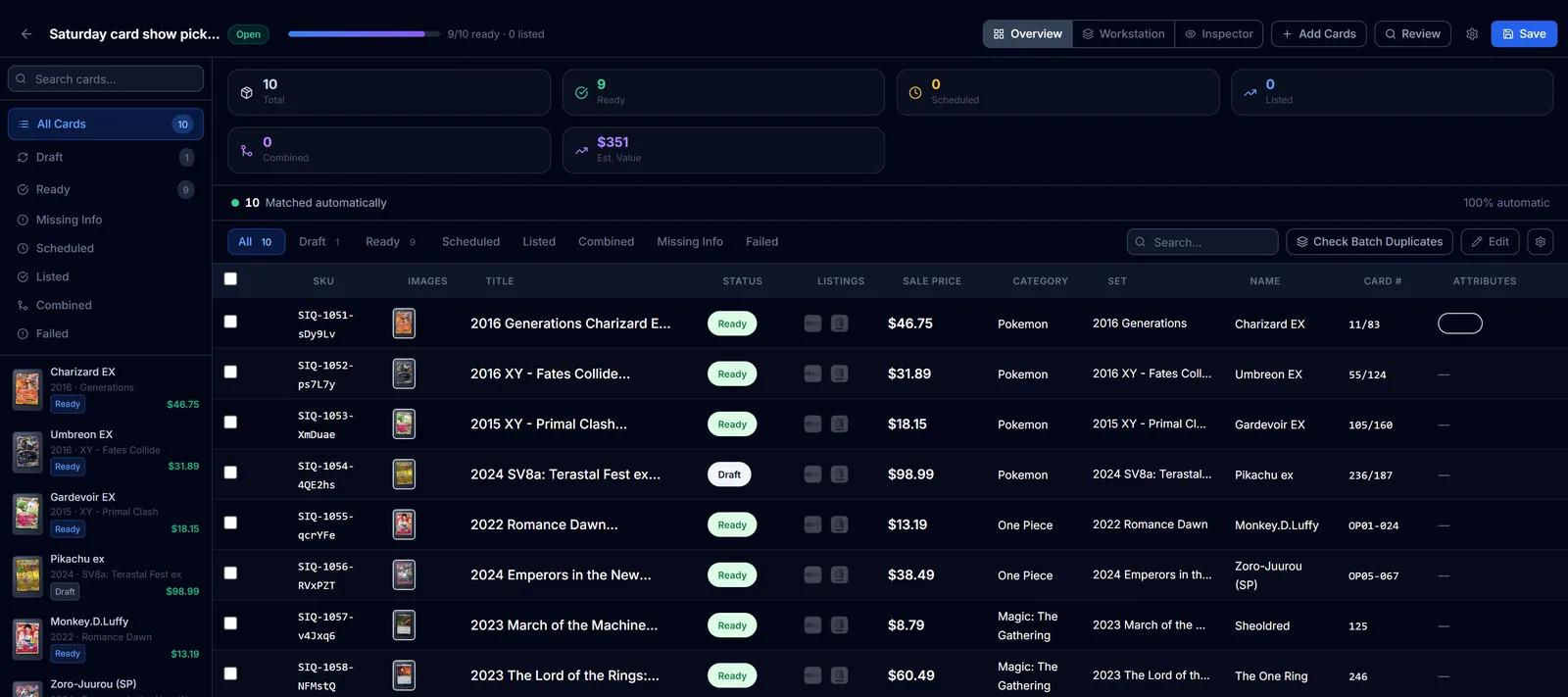
Batch Scanner
Upload a stack of scans or phone photos and identify every card in one batch, with uncertain matches set aside for review.
Learn more about Batch Scanner
Try Duplicate Control on your own cards
Create a free SlabIQ account and see it work with your own inventory. No credit card required.
500 scans / month on the free plan