
eBay listing
List a whole batch of cards on eBay without typing each listing
SlabIQ builds each eBay listing from the identified card and your templates: title, description, item specifics and graded condition fields. Review the batch, then list it now or schedule it to start all at once or staggered.
No credit card required · 500 scans / month on the free plan
Why it matters
eBay listings take longer than the cards deserve
A good card listing needs a title that fits eBay's 80 characters, the right category, a full set of item specifics, graded condition details for slabs, photos and a price. Doing that by hand for every card is where selling time disappears.
In SlabIQ those fields come from the card you've already identified. You check them in review, and the batch goes to eBay in one step.
How it works
How eBay Listing works
- Step 1
Start from a reviewed batch
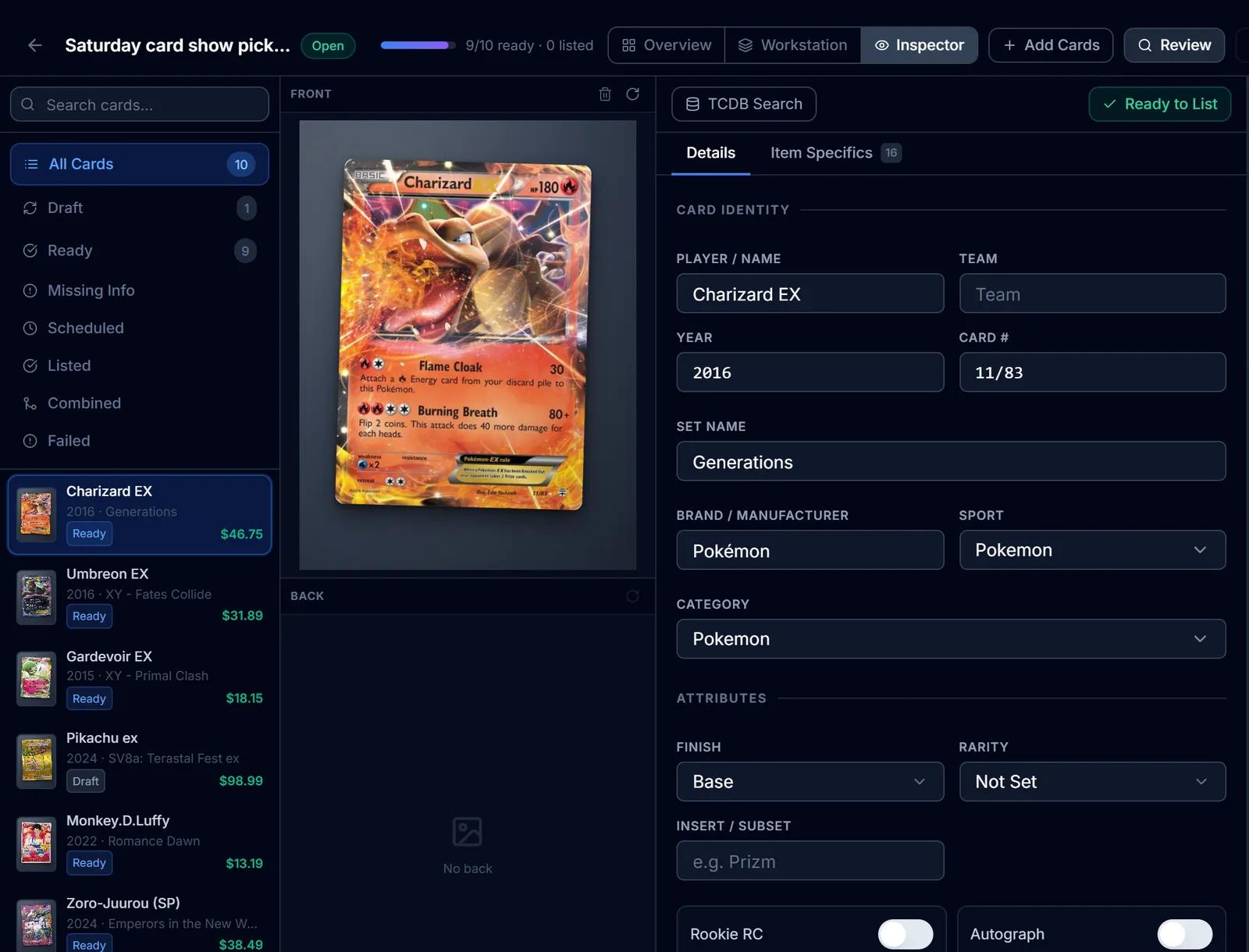
Cards arrive identified, with titles from your templates and item specifics from the catalog match.
- Step 2
Check what eBay needs
Titles over 80 characters are flagged and can't be marked ready, missing required item specifics are called out, and graded cards need a grader, grade and cert number before they can publish.
- Step 3
Set the listing terms
Price, quantity, Best Offer with minimum and auto-accept amounts, and the listing profile that carries your business policies, handling time and store categories.
- Step 4
List now or schedule
Publish immediately, or schedule the batch to start at one time or staggered by a set number of minutes, with a preview of every start time before you confirm.
- Step 5
Manage what's live
Revise a listing's title, description, price, quantity, photos or item specifics from its inventory record, or end it.
- Step 6
Sales come back in
eBay orders sync into SlabIQ with their fees, create pick tasks for the cards to pull, and update inventory.
Capabilities
What you can do with eBay Listing
Title and description templates
Build templates visually or write them yourself, then apply them per batch so every card gets a consistent title and description.
Item specifics from the card
Specifics are filled from the identified card against eBay's own category requirements, with warnings for anything required that's missing.
Graded condition descriptors
Grader, grade and cert number go into eBay's graded condition fields for PSA, BGS, CGC, SGC, TAG, ACE and the other graders eBay recognizes.
80-character title check
A live counter shows every title against eBay's limit. Titles are never cut off automatically; long ones are flagged for you to fix.
Best Offer rules
Accept offers, with a minimum offer and an auto-accept amount per card.
Scheduled and staggered starts
Choose a start date, time and timezone, and spread a batch's start times by a set number of minutes.
Listing profiles
Saved business policies, handling time and up to two store categories, applied to each listing.
Photos prepared for eBay
Card images are resized for eBay's gallery, up to 24 photos per listing.
Import your existing listings
Bring the cards you already have on eBay into SlabIQ's inventory. The import reads your listings and doesn't change them.
Lots as listings too
The Lot Builder lists each lot as a fixed-price listing or a 7-day auction, with its collage images and card list.
One card, every channel
One inventory record, listed on eBay, Shopify and CardTrader at once. When it sells on one, SlabIQ updates the others, and the card's cost, market value and profit sit right beside it.
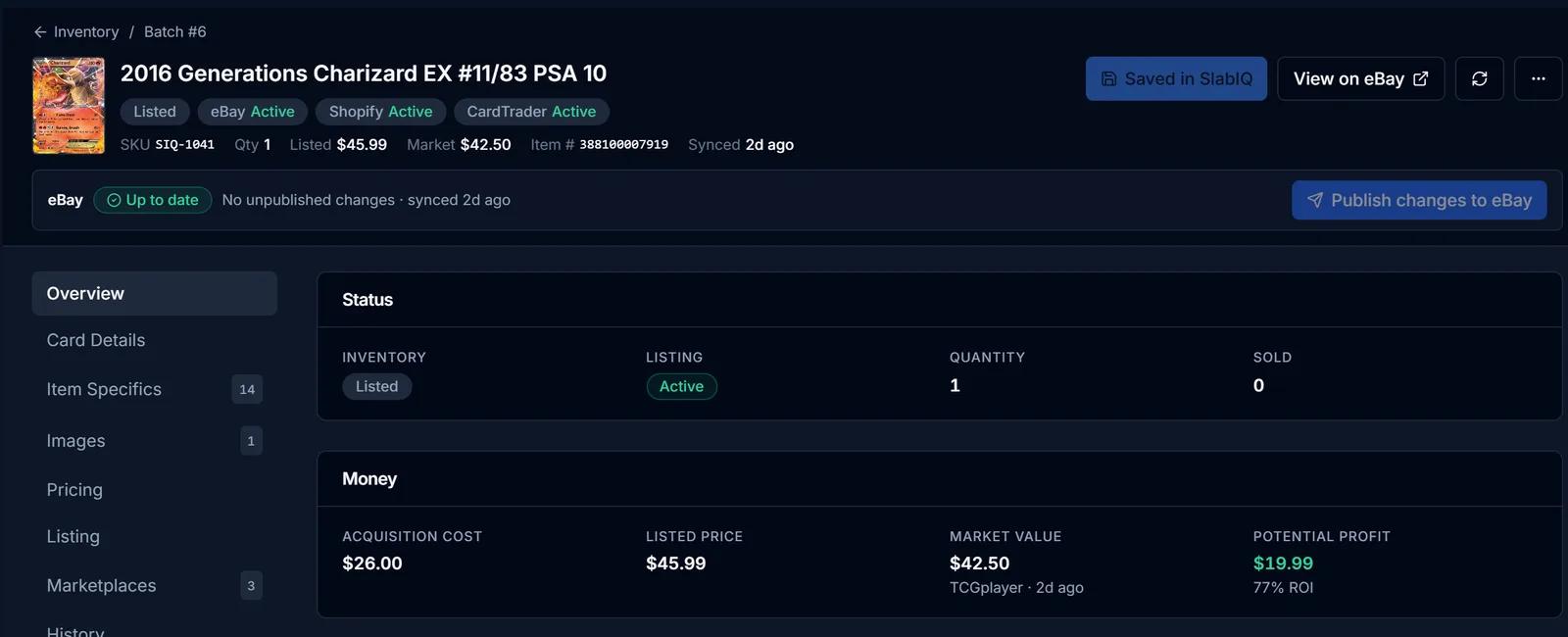
Screens from SlabIQ with a sample account: real catalog cards; prices, costs and sales are examples.
Good to know
What to expect
- Cards listed from a batch go up as fixed-price listings. Auction-style listings are available for lots built in the Lot Builder.
- Batch listings use your default eBay account; other connected accounts can be used when publishing a single item.
- Promoted Listings campaigns are managed in eBay Seller Hub, not in SlabIQ.
- Bulk end and bulk relist aren't available yet; end listings one at a time from inventory or when deleting a batch.
Use cases
Who uses eBay Listing
High-volume eBay sellers
List a batch of reviewed cards in one step and stagger the start times so they don't all go live at once.
Slab sellers
Graded condition fields are filled from the grader, grade and cert number, and a slab missing one can't publish by mistake.
Sellers switching tools
Import your current eBay listings first, then list new cards from batches in the same inventory.
Questions
eBay Listing: common questions
Can SlabIQ bulk list trading cards on eBay?
Does it fill in eBay item specifics?
Can I schedule listings?
Does it handle graded cards on eBay?
Can I edit or end a listing after it's live?
Can I list auctions?
Keep exploring
Related features and tools
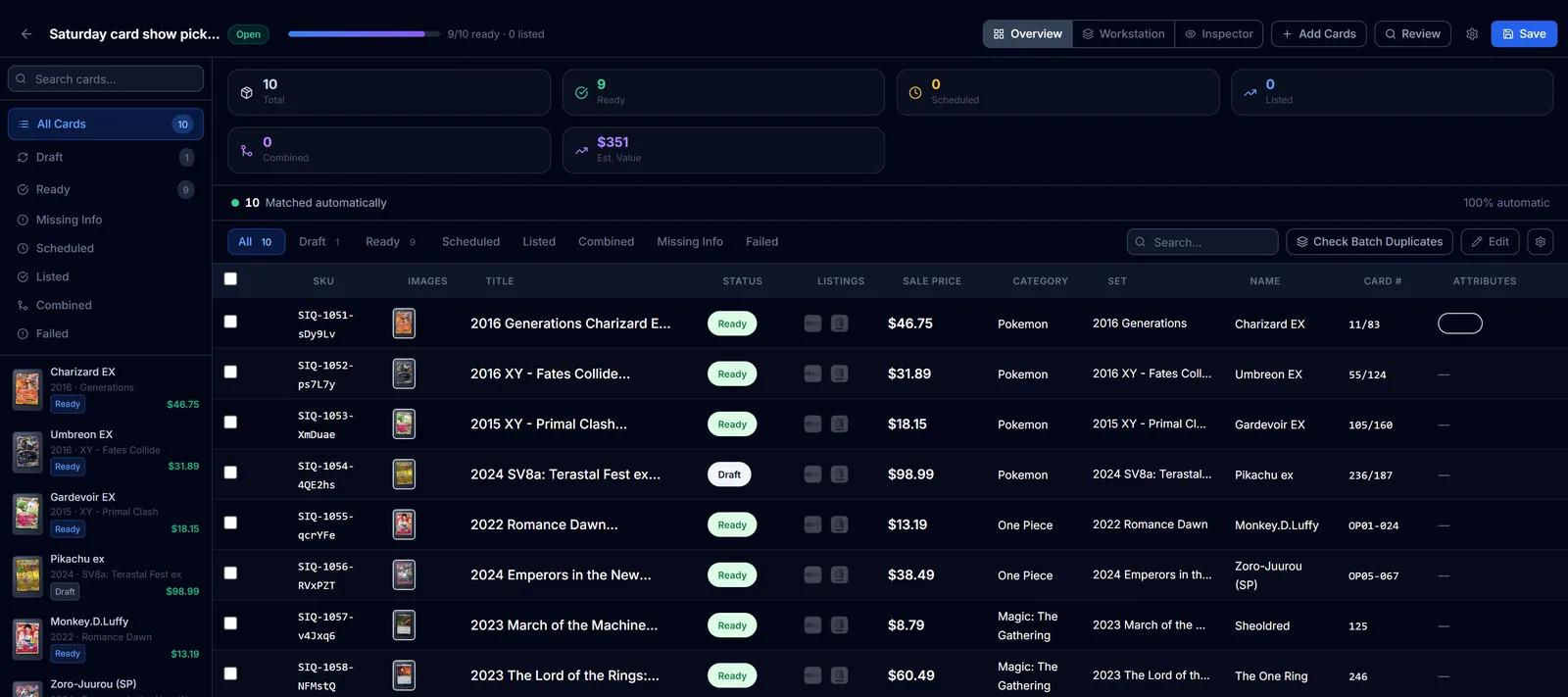
Batch Scanner
Upload a stack of scans or phone photos and identify every card in one batch, with uncertain matches set aside for review.
Learn more about Batch ScannerMarketplace Integrations
Connect eBay, Shopify and CardTrader to one inventory, list from the same records and record each sale once.
Learn more about Marketplace Integrations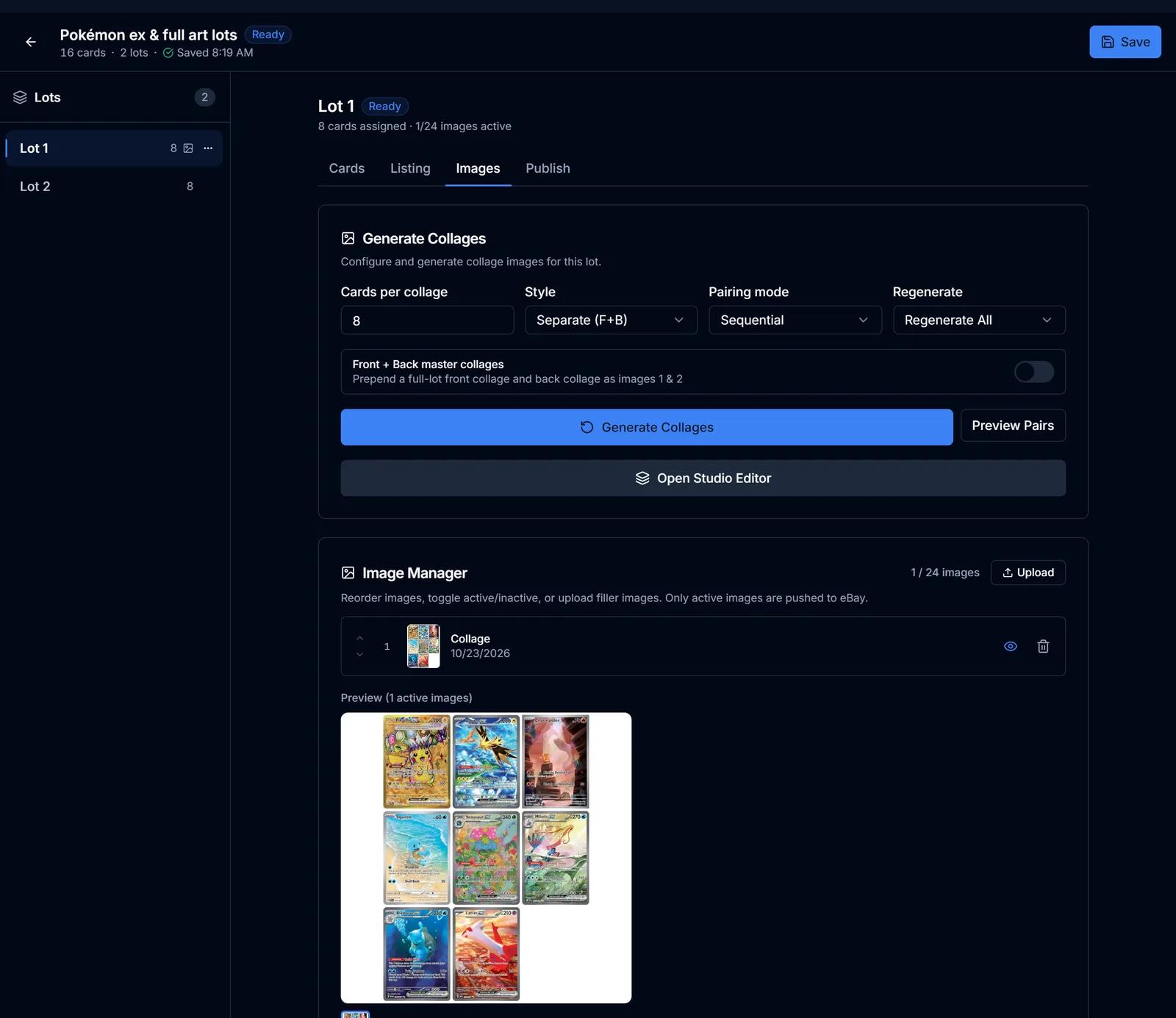
Lot Builder
Group cards into lots, generate collage images and lot titles, price from market values and list on eBay.
Learn more about Lot Builder
Try eBay Listing on your own cards
Create a free SlabIQ account and see it work with your own inventory. No credit card required.
500 scans / month on the free plan